Increasing Engagement on Enterprise Dashboard With Content Restructure
Macabacus is a brand compliance and content sharing tool for finance teams.
When I joined the click rate on some of the key features in the Admin dashboard was low.
I restructured and simplified content organization on the Admin dashboard, which led to boosting pages visits by 18% and filtering usage by 5%.
August — October 2024


/ my role
I was responsible for improving engagement and feature adoption within the Admin dashboard.
By analyzing engagement patterns and conducting qualitative research, I identified key usability gaps, re-architected the content structure, and worked cross-functionally with PMs and engineers to ship a scalable, measurable improvement.
/ user problem
File organization on the Admin dashboard was unintuitive and had high abandon rate
/ chapter 1
improving file organization
I started my research with talking to the Customer Support team as at the time I didn't have direct access to customers.
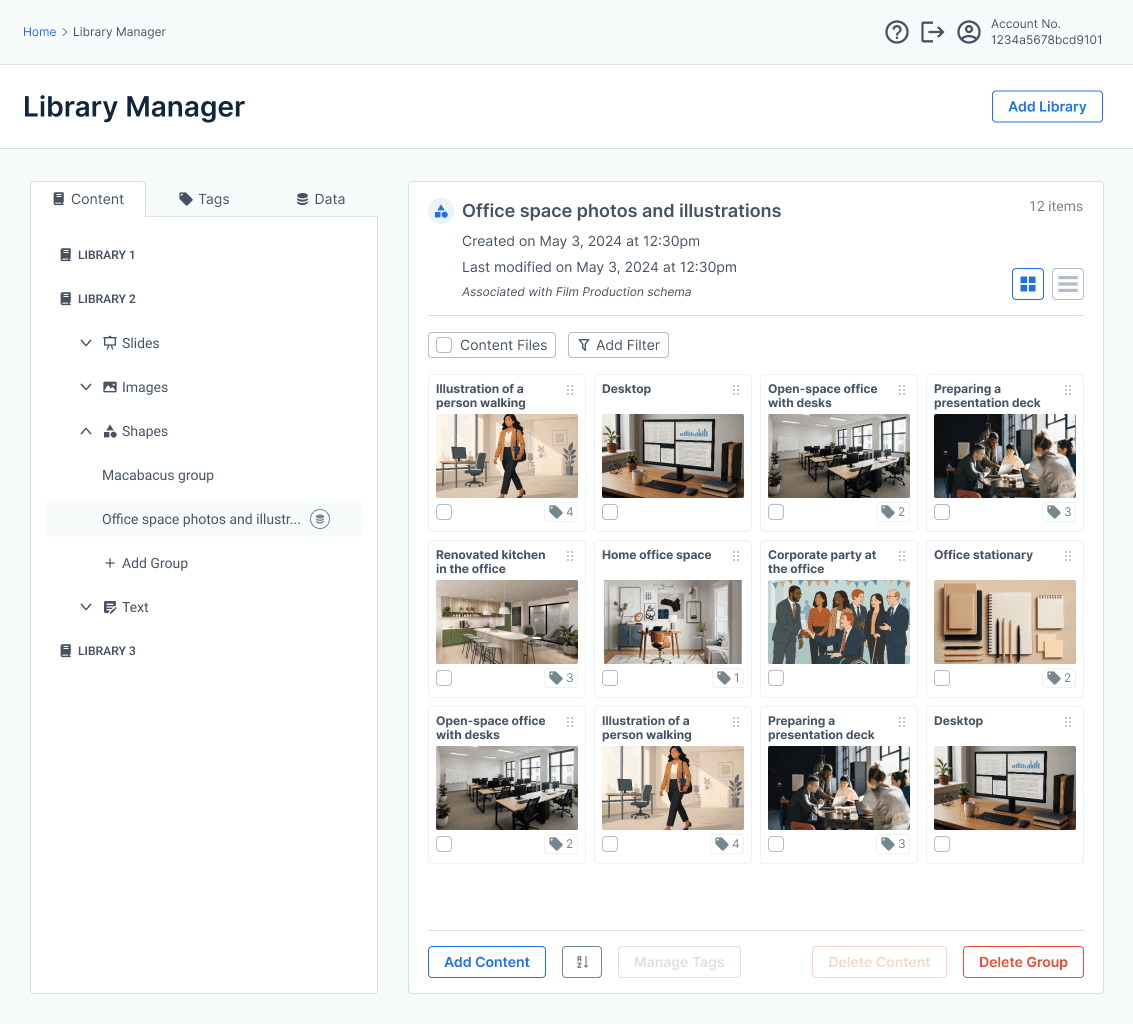
One of the key findings was that organizing content is by groups is critical for high-paying customers. However, it was unintuitive.
/ qualitative reserach insight
"Groups [where files are organized] are crucial for [our] large enterprise customers"
— Team Lead, Customer Support @ Macabacus
step 1: analyze problem and look for references
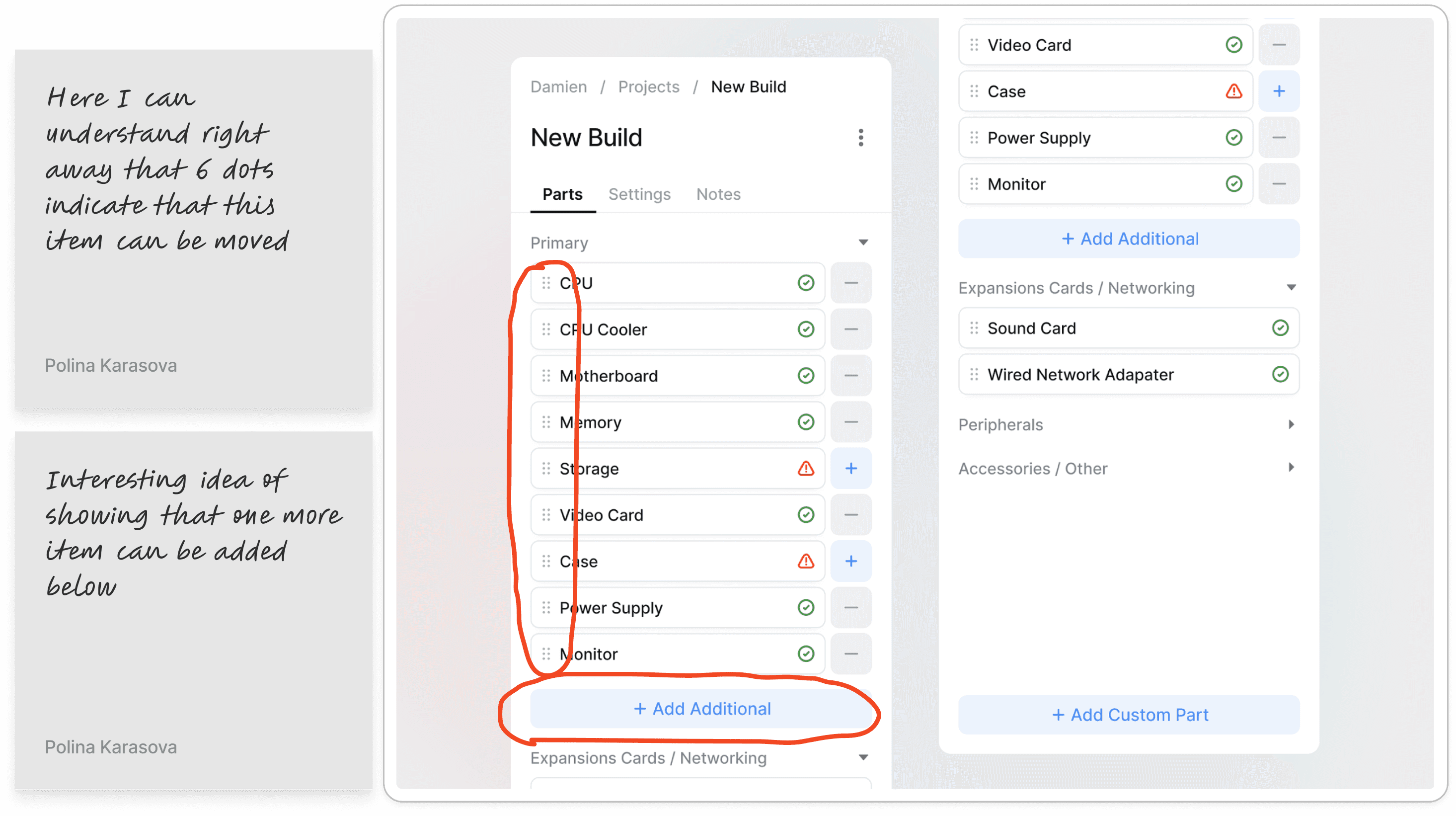
I analyzed similar sections across other tools and noting ideas that can be incorporated into our UI.
step 2: branstorming on solution
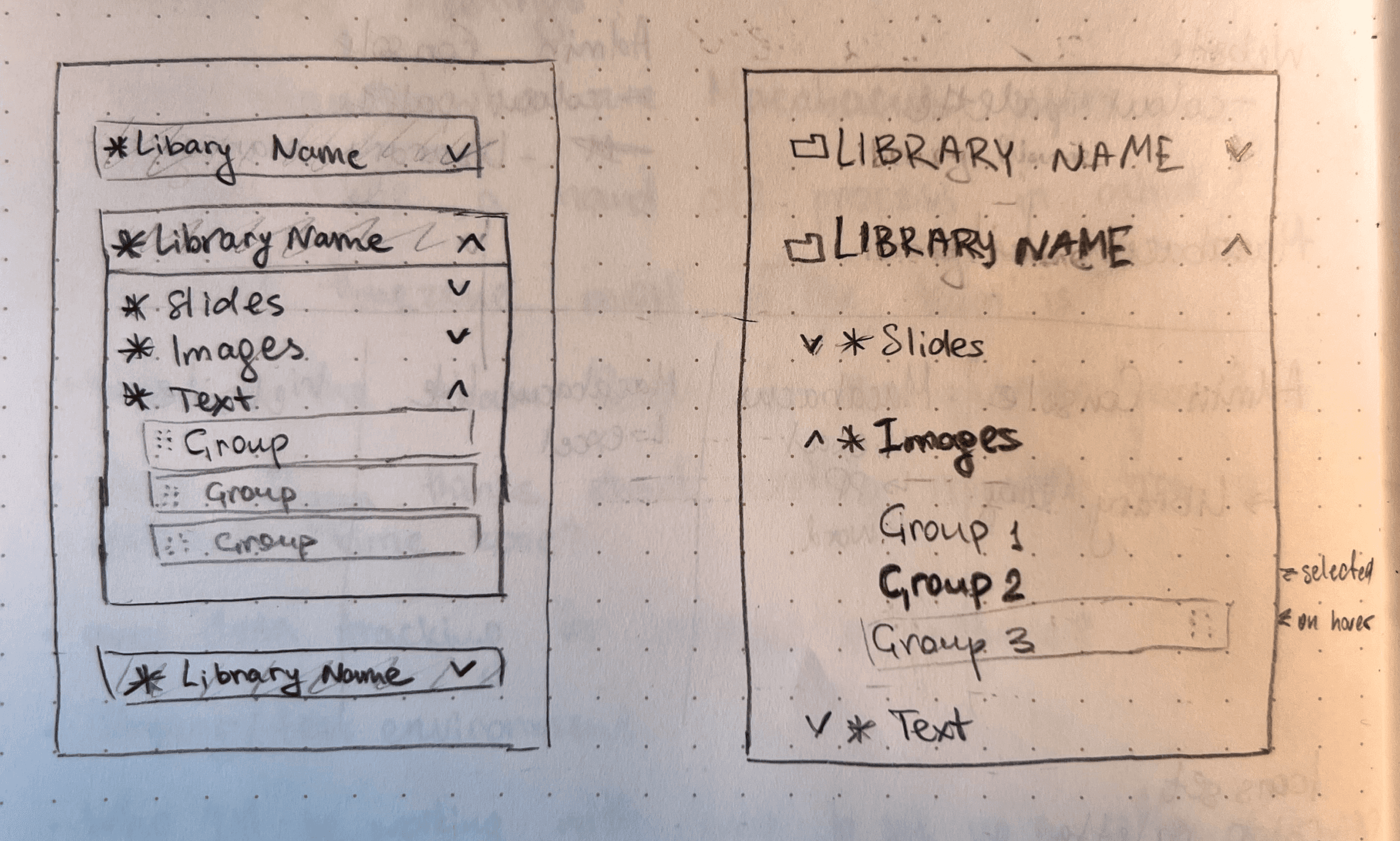
When looking for a solution I prefer using pen and paper as it helps me to focus on the ideation process.
step 3: High-fidelity design
Based on insights from Customer Support, I simplified the group-based file structure reducing cognitive load and helping enterprise users navigate complex file systems more efficiently.
/ chapter 2
increasing tagging
usage by 18%
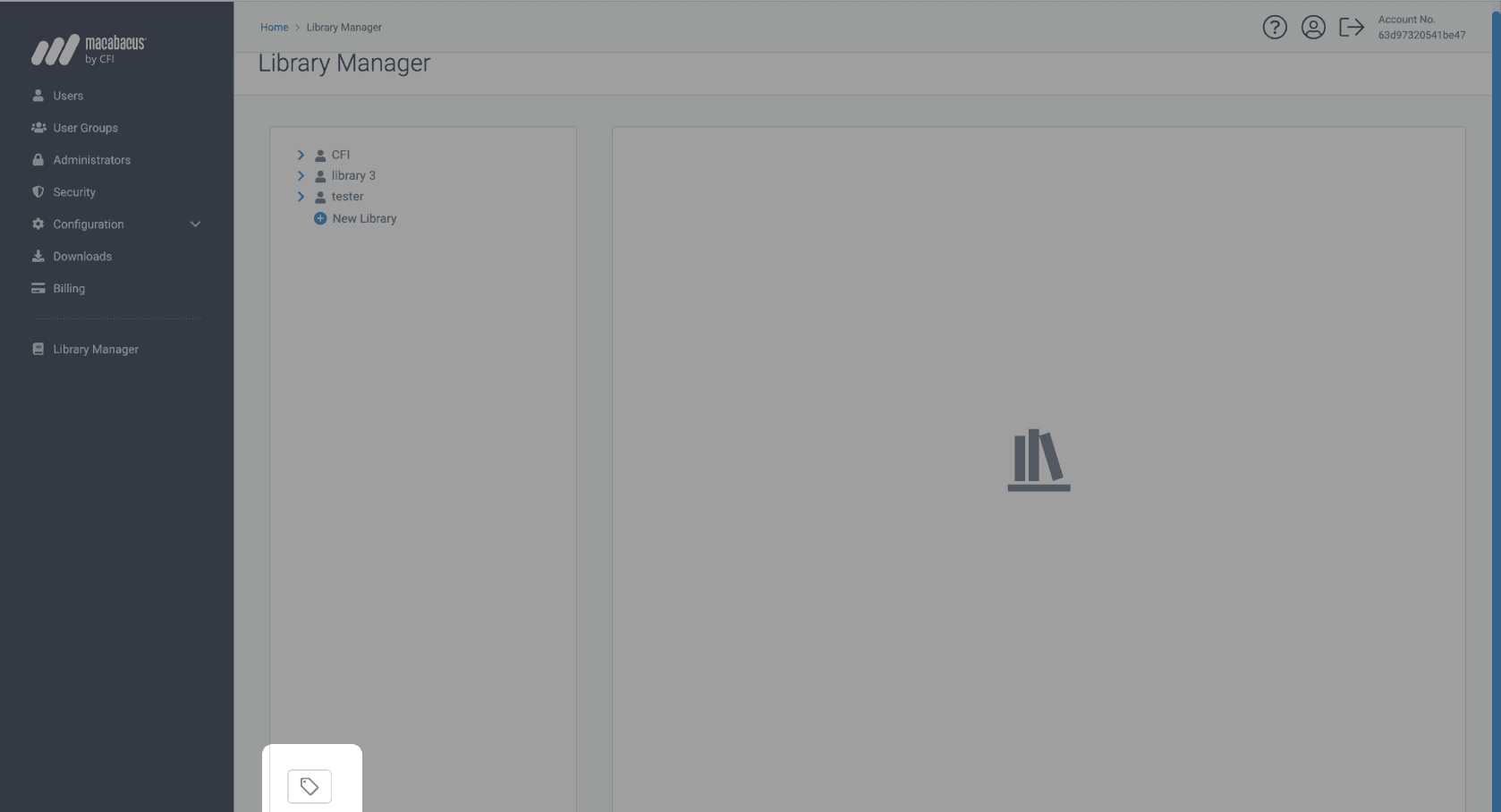
Only 4.8% of users noticed Tags page button and clicked it*
After clicking it, users ended up on unintuitively structured page.
*according to heatmaps tracked via Hotjar
/ how might we…
… improve Tags page UI without recreating a wheel?
To answer this question I looked across our dashboard and asked myself: are there any design solutions that we currently have and can replicate for tags UI?
I made an assumption: because tags are made for content, I can we replicate content groups UI for tags.
tags page High-fidelity design
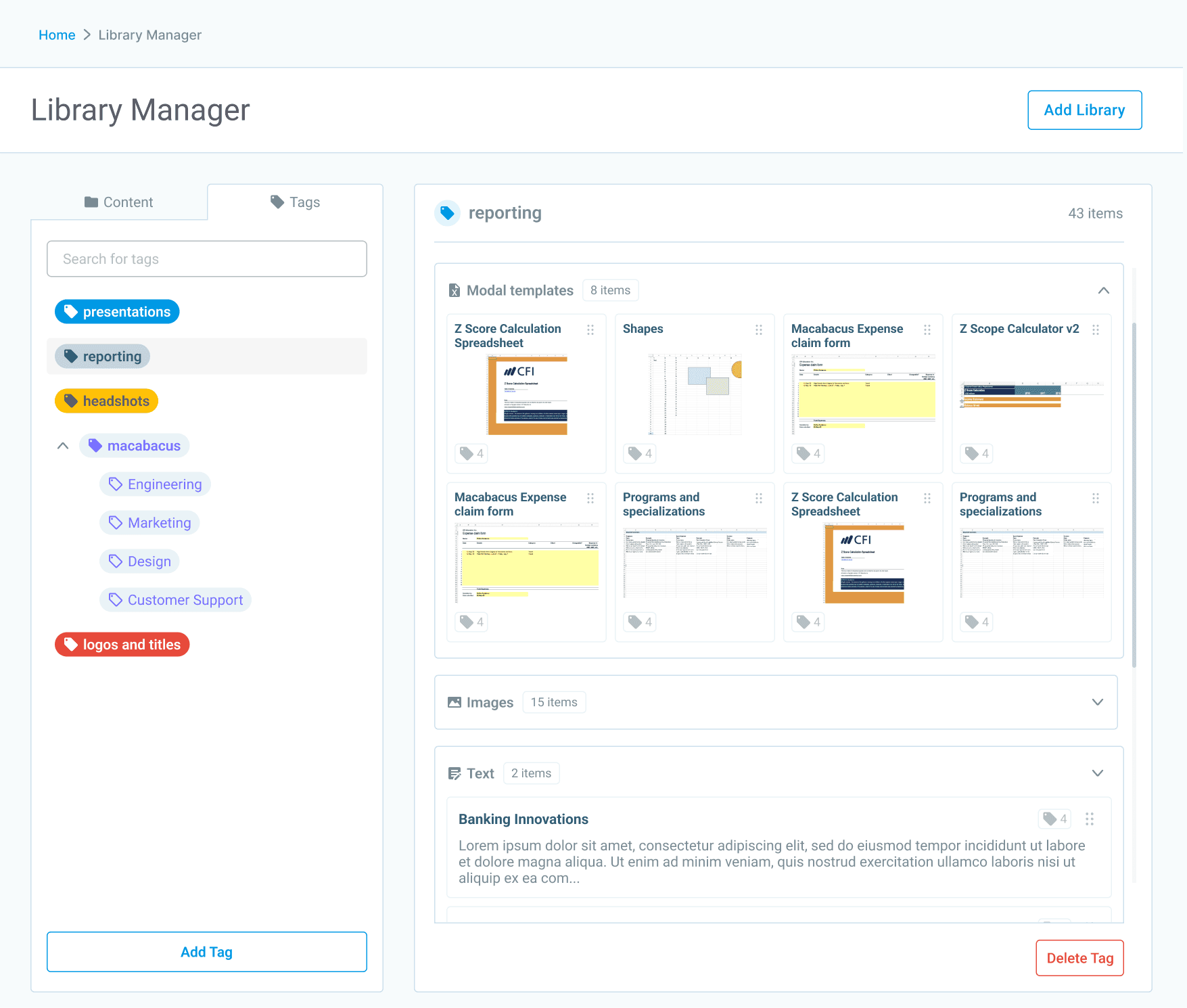
Improved tags UI increased page engagement by 18%
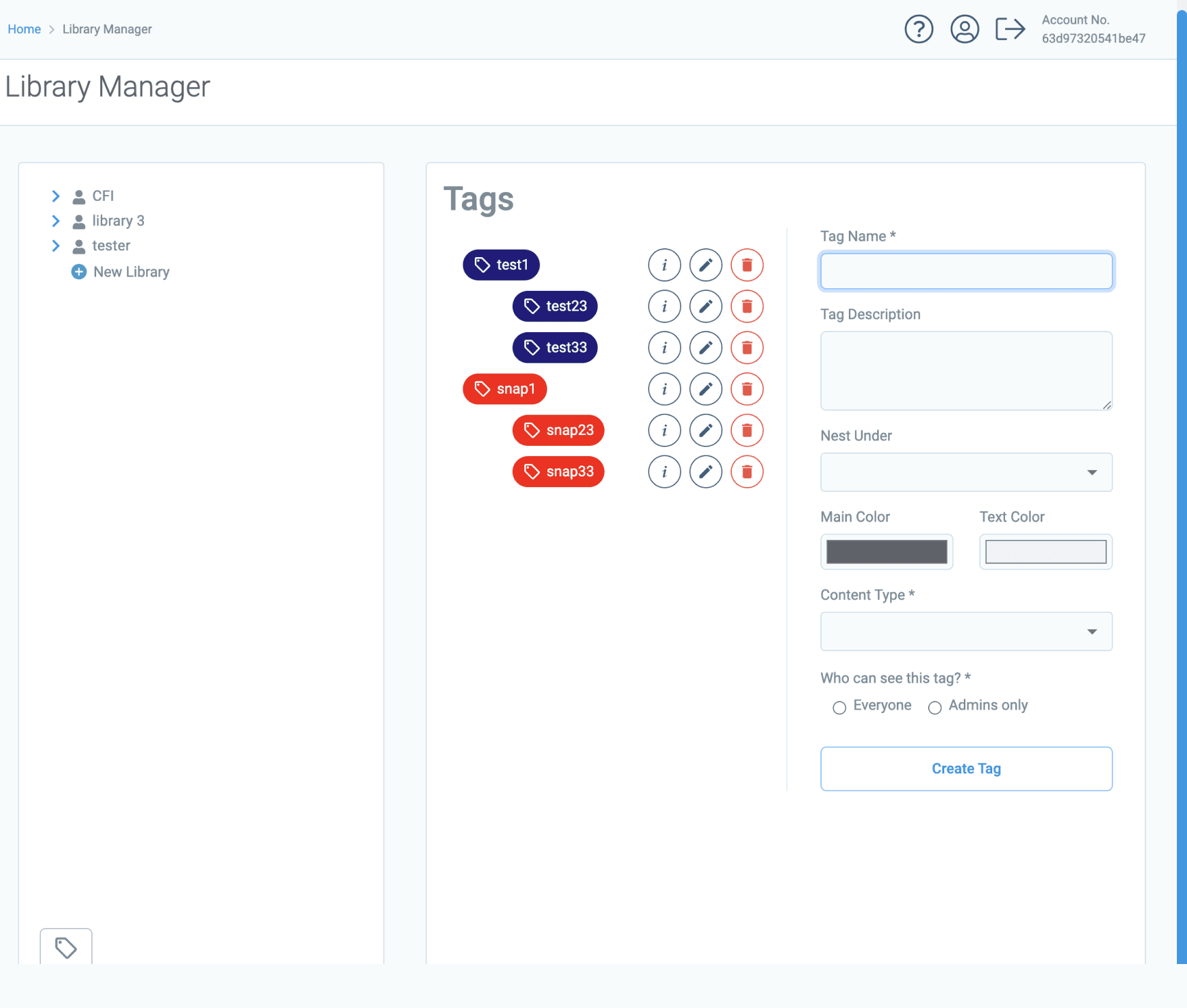
before
Tags section with unintuitive structure: missing assigned content and instead suggested to create tag without a reason.
after
Familiar navigation, visibility on content assigned to a tag
/ chapter 3
boosting filters usage by 5%
/ how might we…
… help user filter out content with missing data?
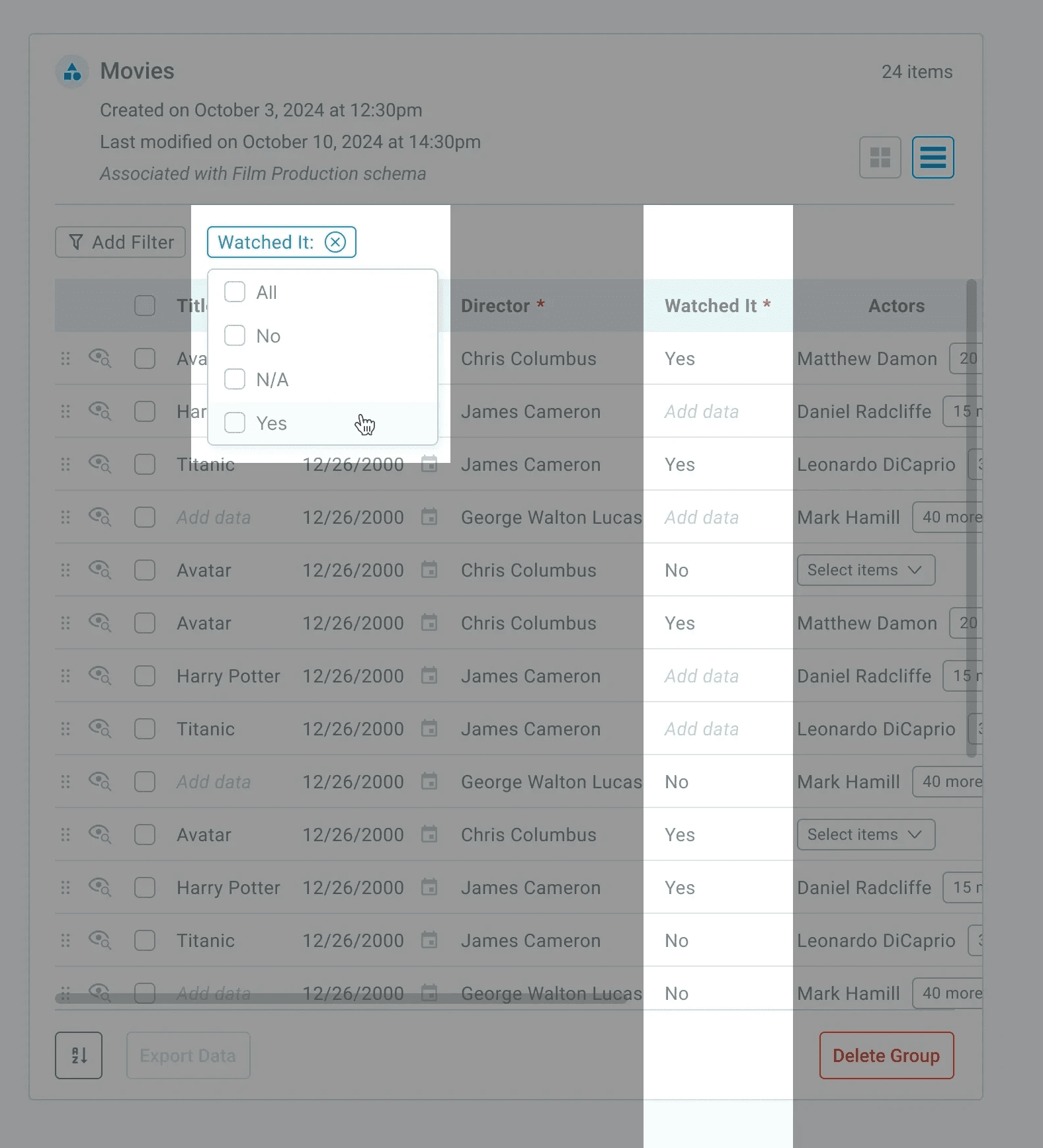
initial ui had two problems
To change a state a user had to type manually ‘Yes’ or ‘No’
Once 'Yes’ or 'No’ is set a user can't change a state back to blank (N/A)
1st exploration
Long toggle switch with intermediate state for content without data.
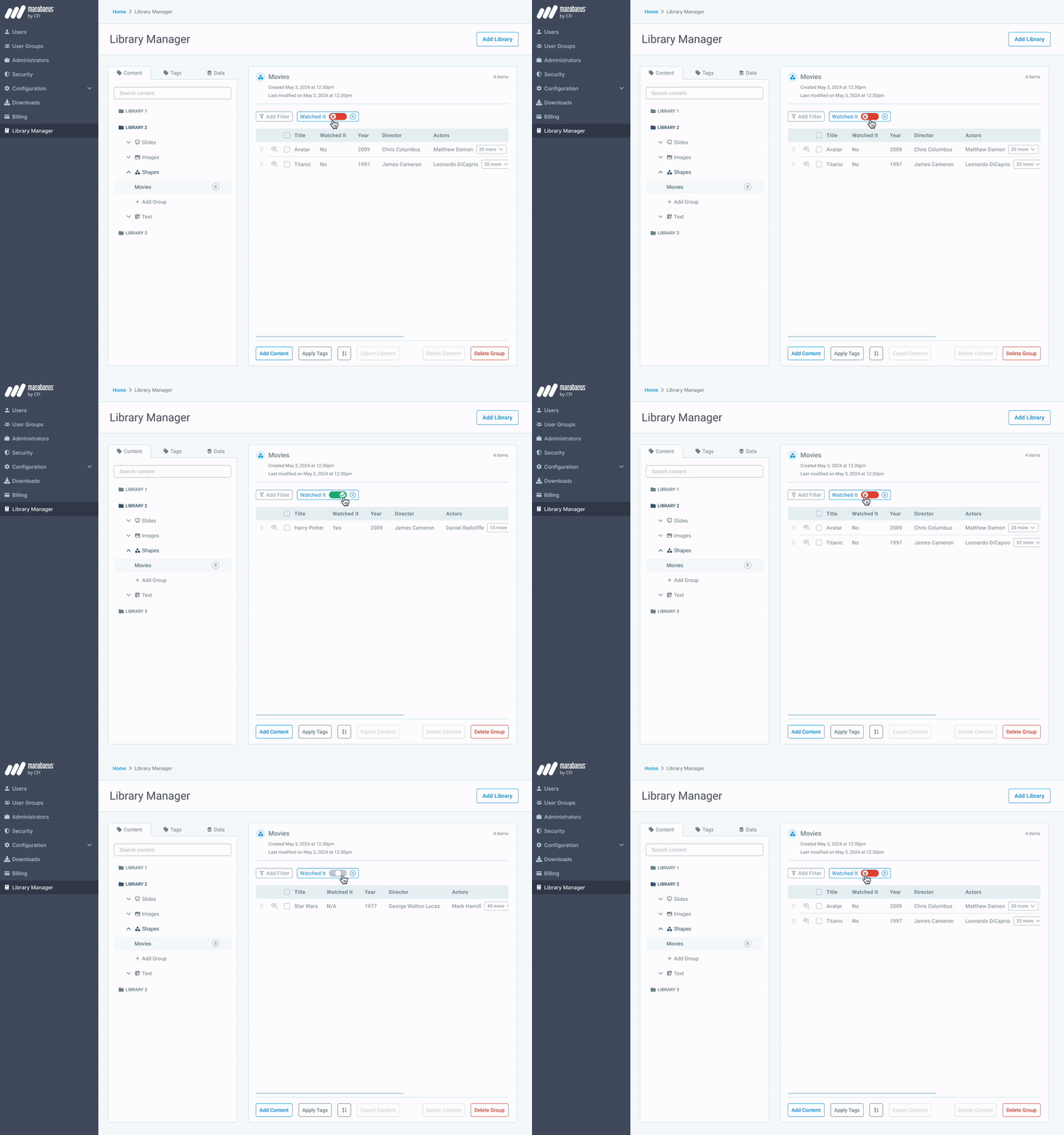
2nd exploration
Each state represented by an icon for better accessibility.
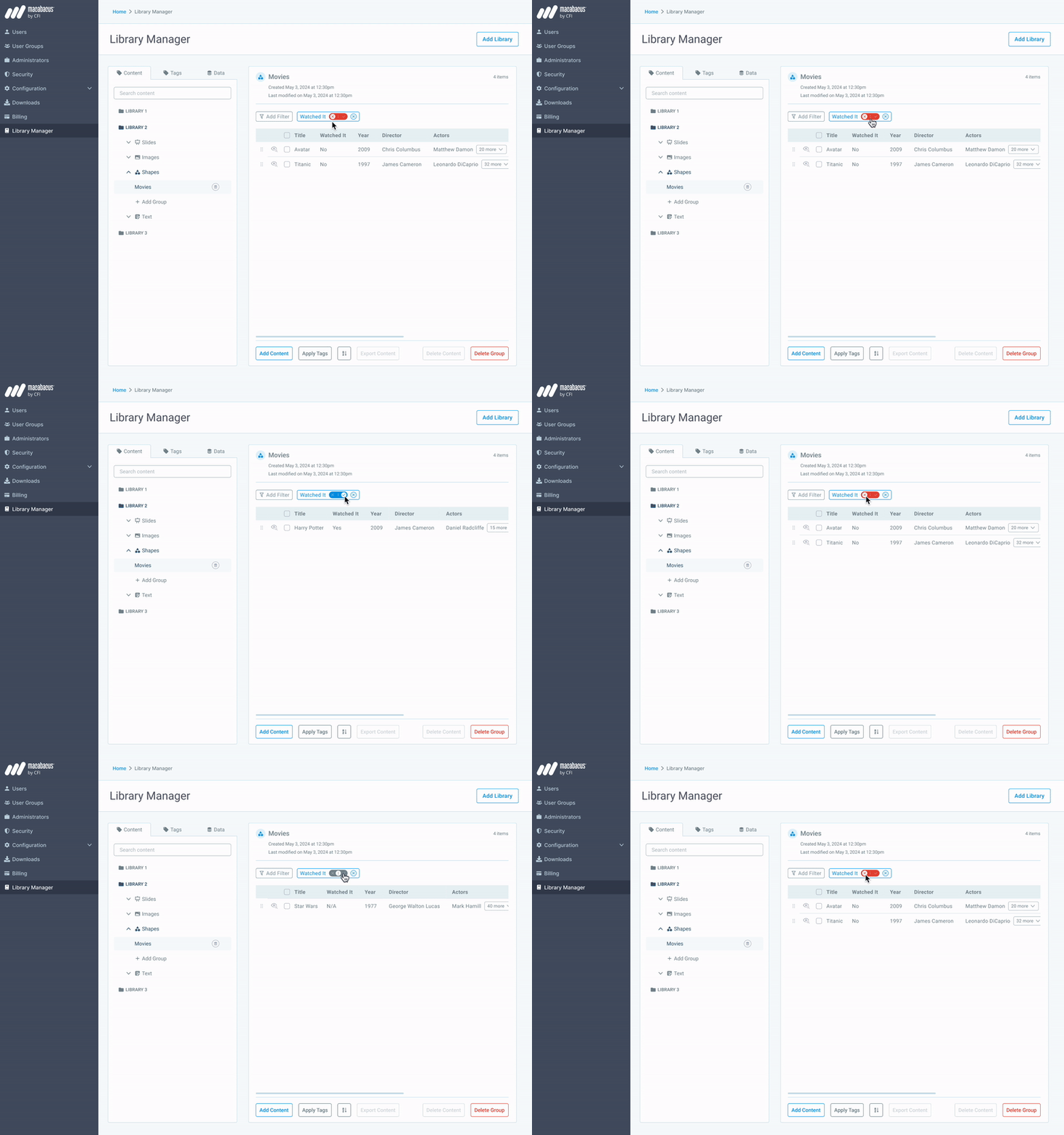
3rd exploration
Each state written as text. Takes more space, but eliminates user confusion.
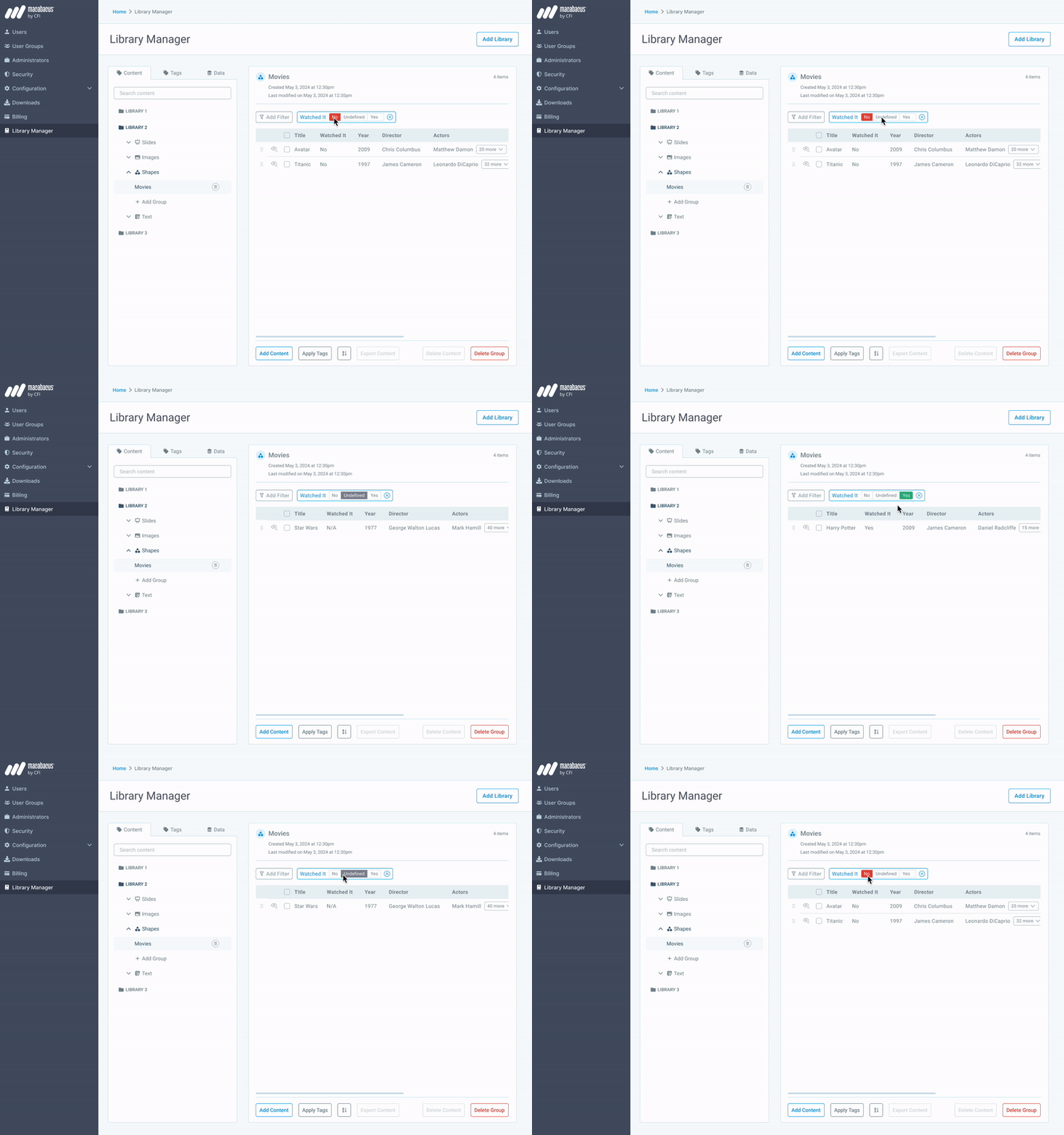
final design
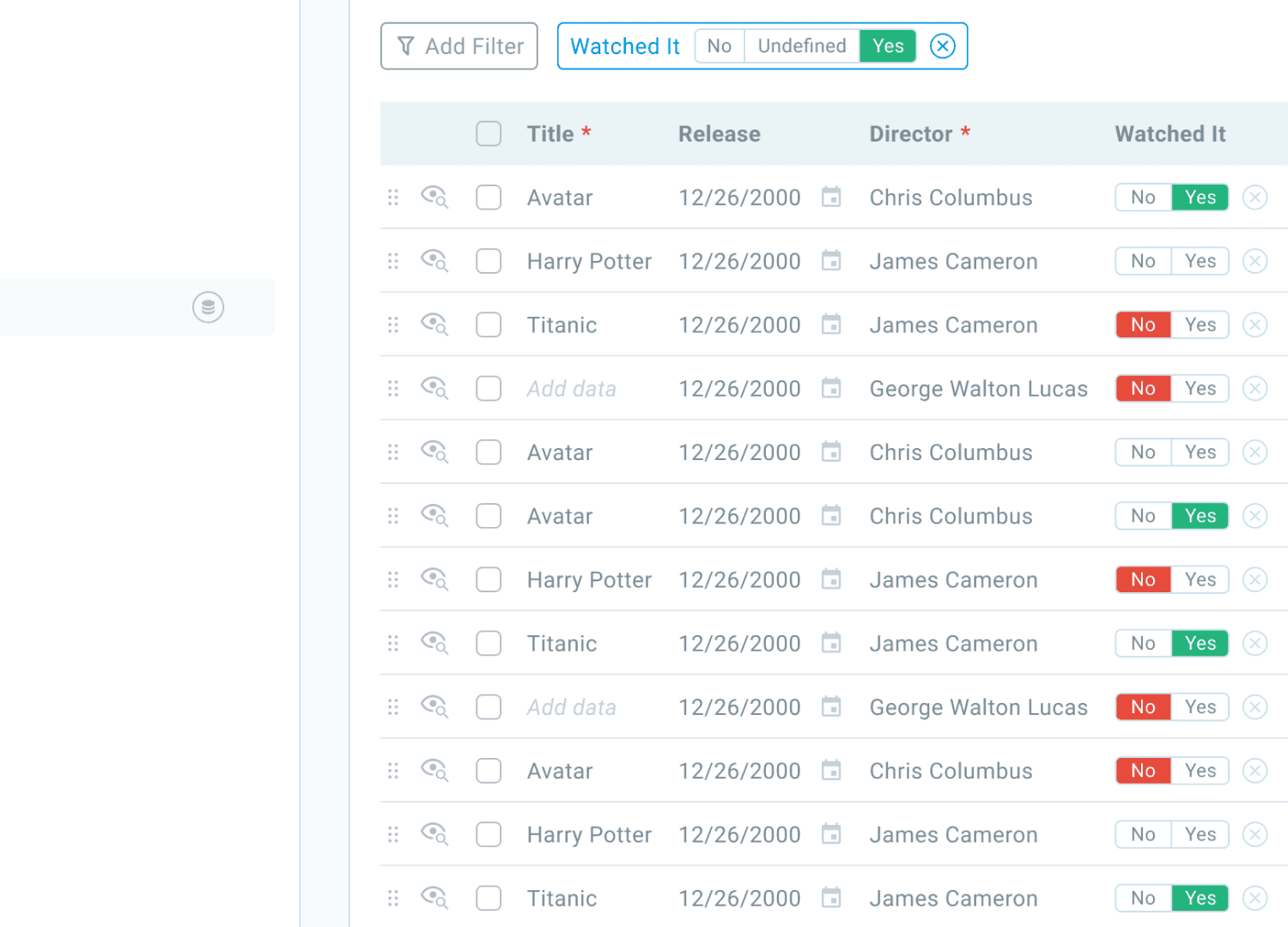
5% more customer started using boolean filter after I improved its design.
before
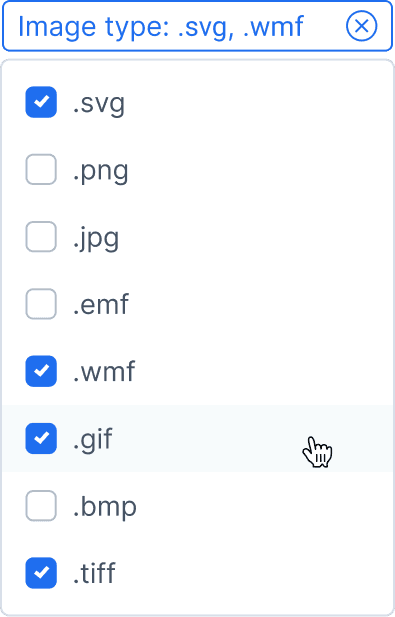
Several clicks needed to filter the content
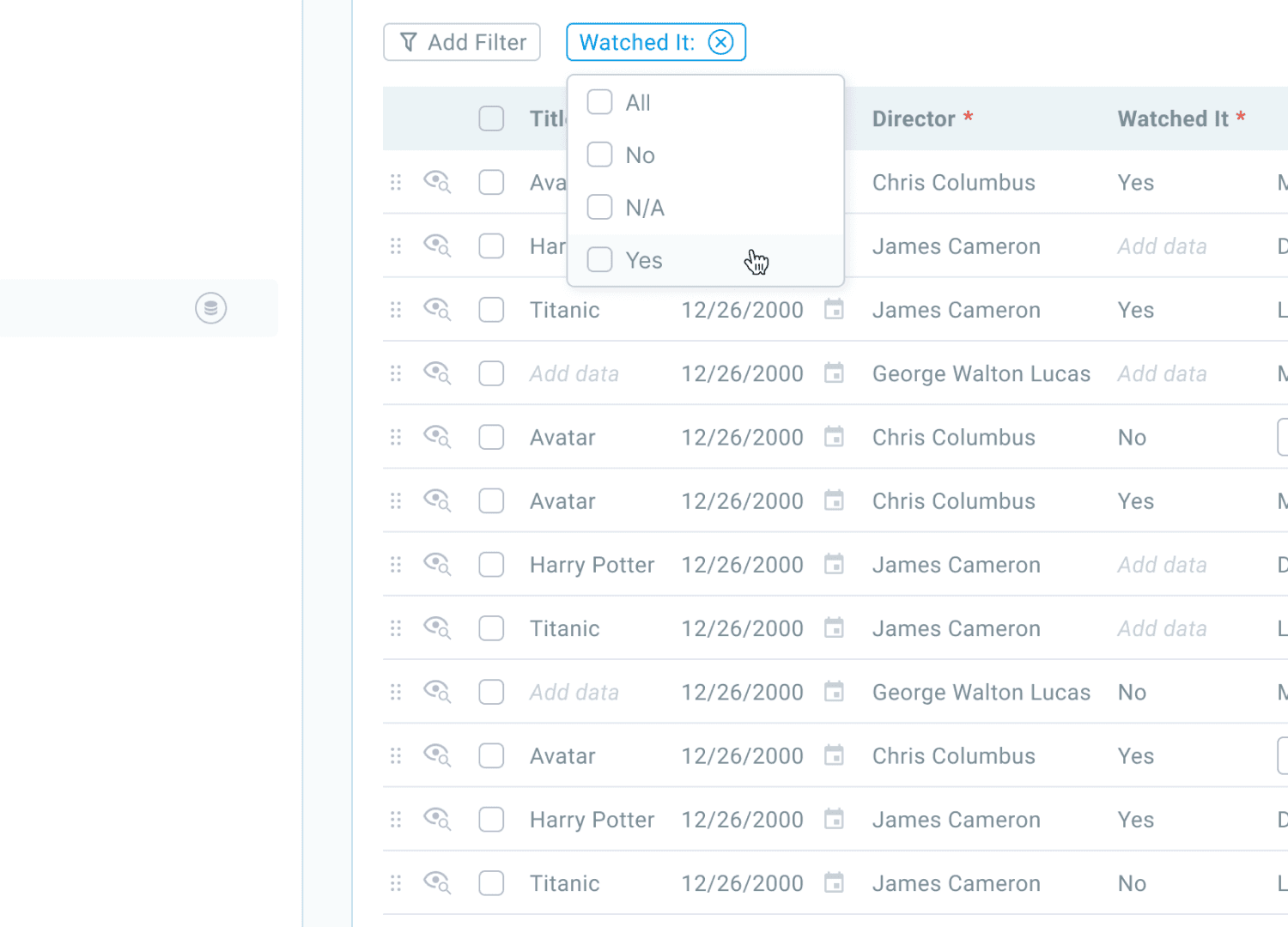
after
Content can be filtered with one click
/ outcomes
18% more users started visiting Tags page.
5% more users started using filters when searching across the documents.