Increasing conversion rate by 21% and decreasing tickets to Support by 48%

Increasing conversion rate

by 21% and decreasing tickets

to Support by 48%

September to October 2023

Overview

The goal of this project was to increase conversion at CFI e-learning dashboard. I addressed this project by collaborating with product and engineering. I discovered user needs and communicated them through design updates on the CFI free learner dashboard leading to 21% subscription rate increase.
Team

Product Designer (me️)

Product Manager

Copywriter

Software Engineers team

My role

My role in this project was to find ‘easy wins’ to increase conversion by making changes around the free learner dashboard. To achieve this I identified key user needs through the research and designed changes for better outlining benefits of paid plan.

Product Designer (me️)

Product Manager

Copywriter

Software Engineers team

Team

My role in this project was to find ‘easy wins’ on how we can increase conversion by making changes around the free user dashboard. To achieve this aim I identified key user needs through the research and designed changes for better outlining benefits of paid plan.

My role

Background: what is CFI?

Corporate Finance Institute (CFI) provides online courses and certifications to people in finance and banking using its own e-learning dashboard

CFI offers 3 subscription plans: Free, Self-Study and Full-Immersion. Free learners get limited access to courses and learning resources such as excel templates and hands-on challenges.

My focus was to communicate to Free learners the benefits of all paid features CFI offers.

Challenge

The problem was that free-to-paid B2C conversion was lower than expected

In Q2 2023 our subscription rate was not at the level we wanted it to be. That is why one of the key projects for Q3 2023 was to find the opportunities on how our team, who was responsible for B2C dashboard, can increase subscription rate. 

Project outcomes

With the design changes I made conversion rate and templates feature downloads increased

Detailed outcomes

21% conversion rate increase

40% downloads increase of the key feature

3% more customers convert in one hour

48% decrease in Support tickets

Detailed outcomes

21% conversion rate increase

40% downloads increase of the key feature

3% more customers convert in one hour

48% decrease in Support tickets

61% of free users would prefer guidance from CFI

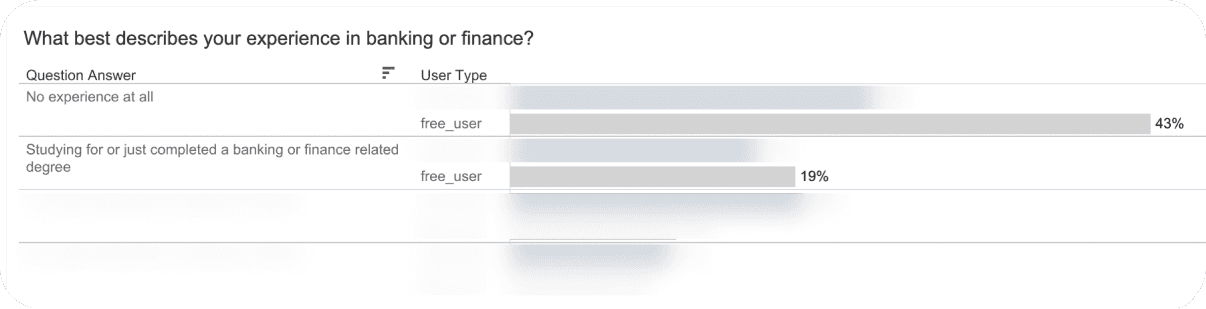
I analyzed survey that free learners receive upon creating an account at CFI and found that:

  • 61% of free users did not know where to start and would prefer to receive guidance

  • 43% of free users have 0 experience in banking and finance

Users landed on a homepage with extensive list of courses and zero guidance which courses will work best for them.

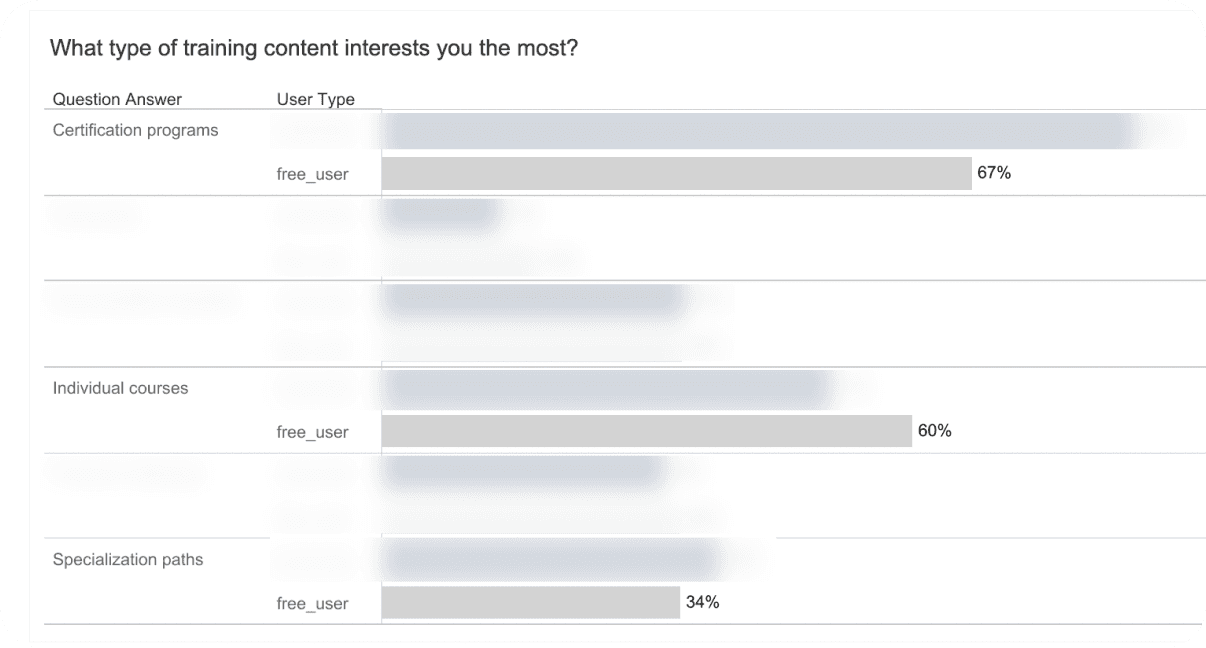
I found that 67% of learners were interested in certifications, but only 34% in specializations.

Courses at CFI can be organized in three parts:

  1. Individual courses

  2. Certifications (large group of courses with final exam)

  3. Specializations (small group of courses, no final exam)
Research part 1: Free learners survey analysis

Research part 1: Survey analysis

Design update #1

Design update #1

Design update #1

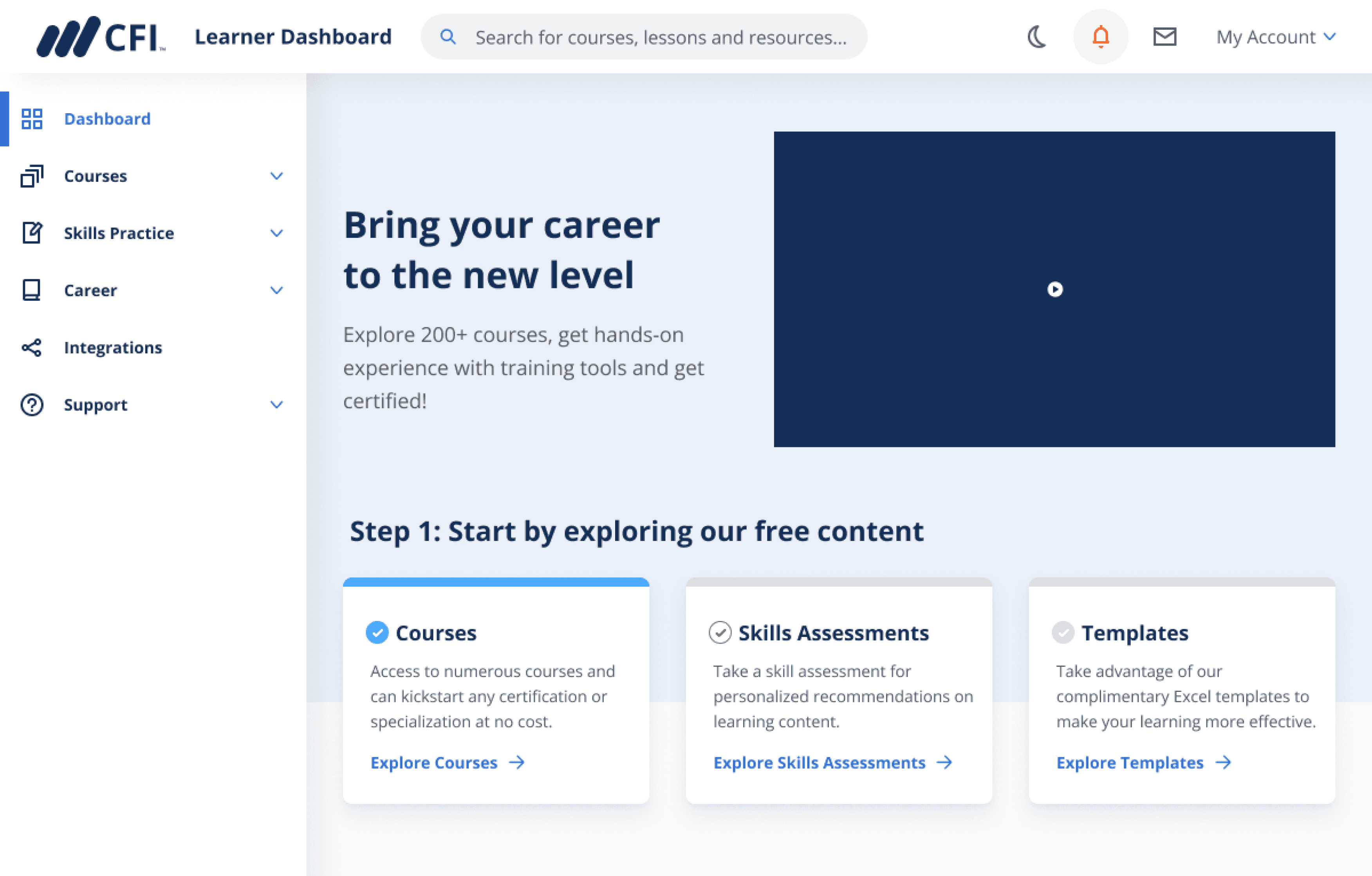
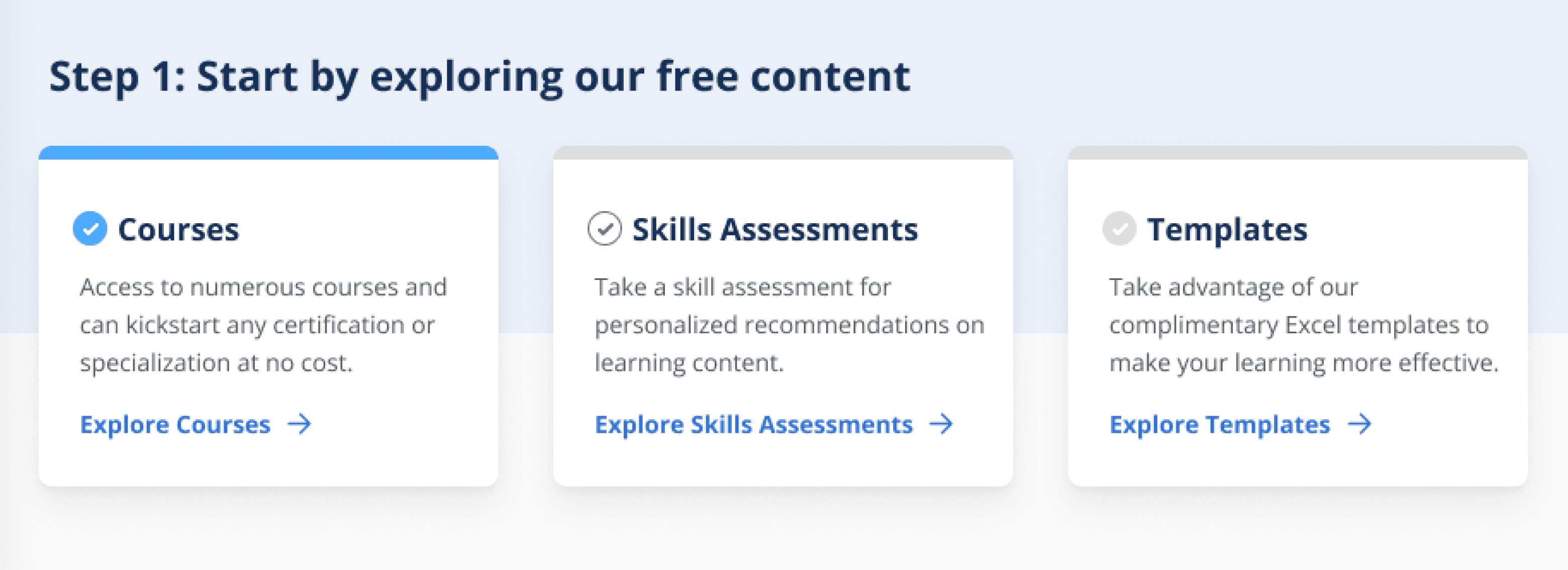
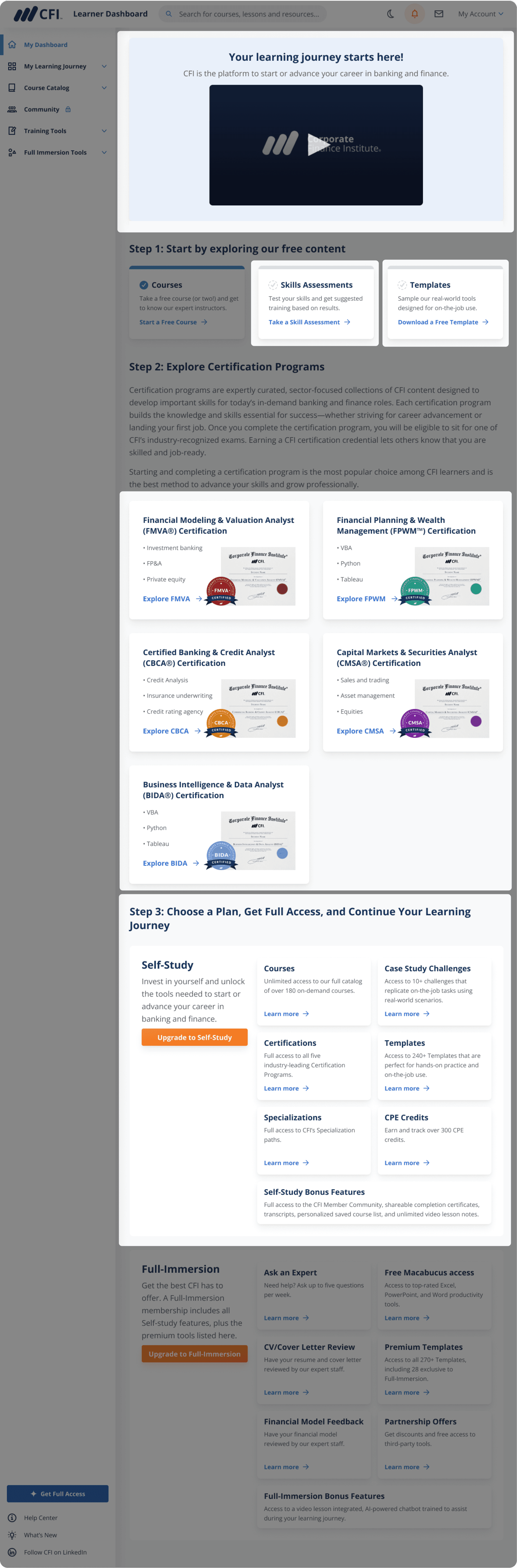
In collab with Product Manager I added a 3-step guide to the homepage helping learners getting started with CFI
Step 1

Start a free course

According to survey results 60% of learners are interested in individual courses.

From heatmap (see below) I noticed that courses page was clicked the most in the menu.

Step 2

Take assessment

According to survey results 61% of learners are not sure where to begin, so I highlighted a free “Skills Assessment” tool to help them get started.

Step 3

Download excel template

To increase discoverability of one of key free features I added a link to it on the homepage.

Step 1

Start a free course

According to survey results 60% of learners are interested in individual courses.

From heatmap (see below) I noticed that courses page was clicked the most in the menu.

Step 2

Take assessment

According to survey results 61% of learners are not sure where to begin, so I highlighted a free “Skills Assessment” tool to help them get started.

Step 3

Download excel template

To increase discoverability of one of key free features I added a link to it on the homepage.

Design process

Scroll right to see more ->

1st iteration: a three-step guide written as an intro paragraph is hard to scan.
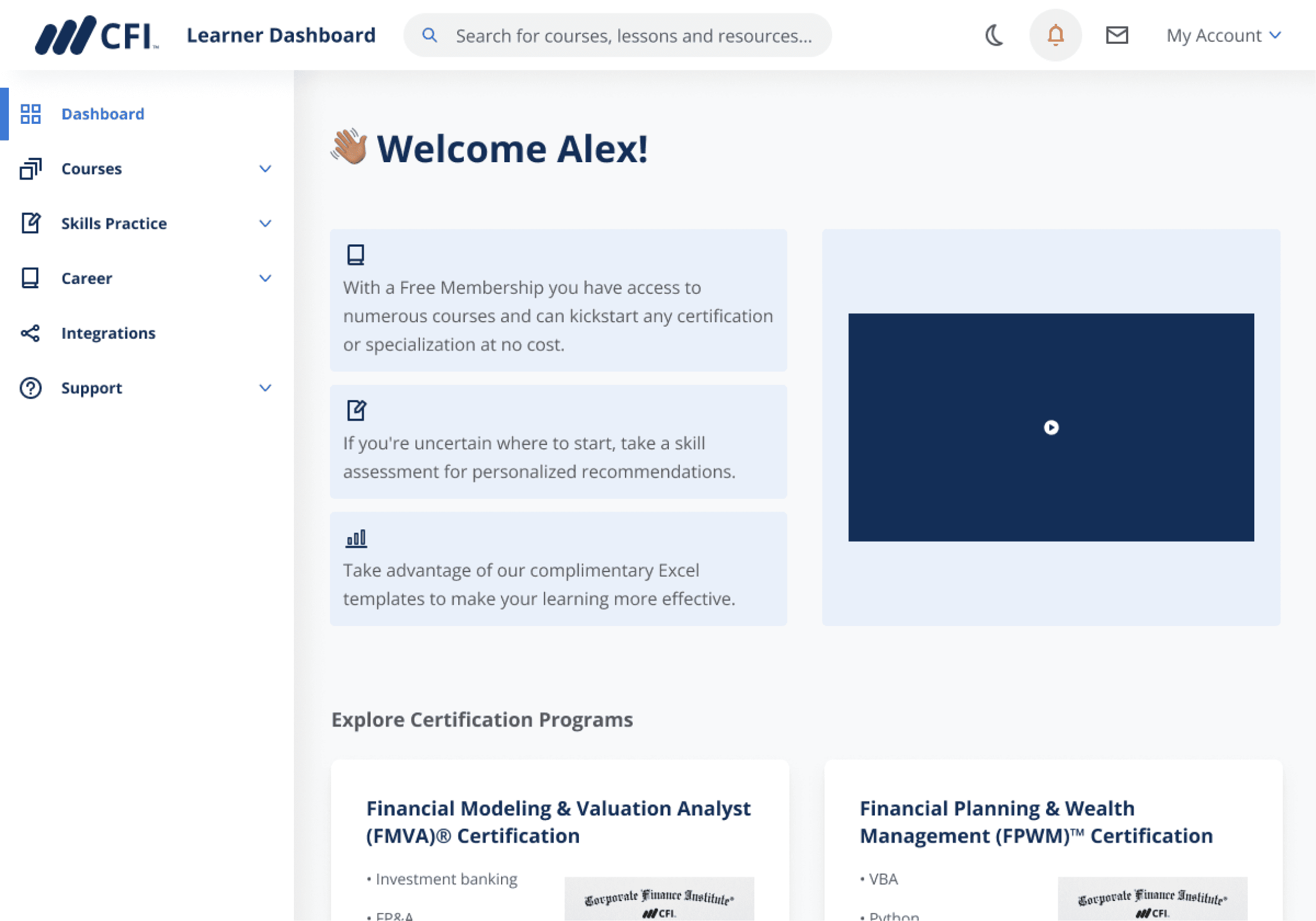
2nd iteration: scanning a guide is easier, but page lacks content prioritization.
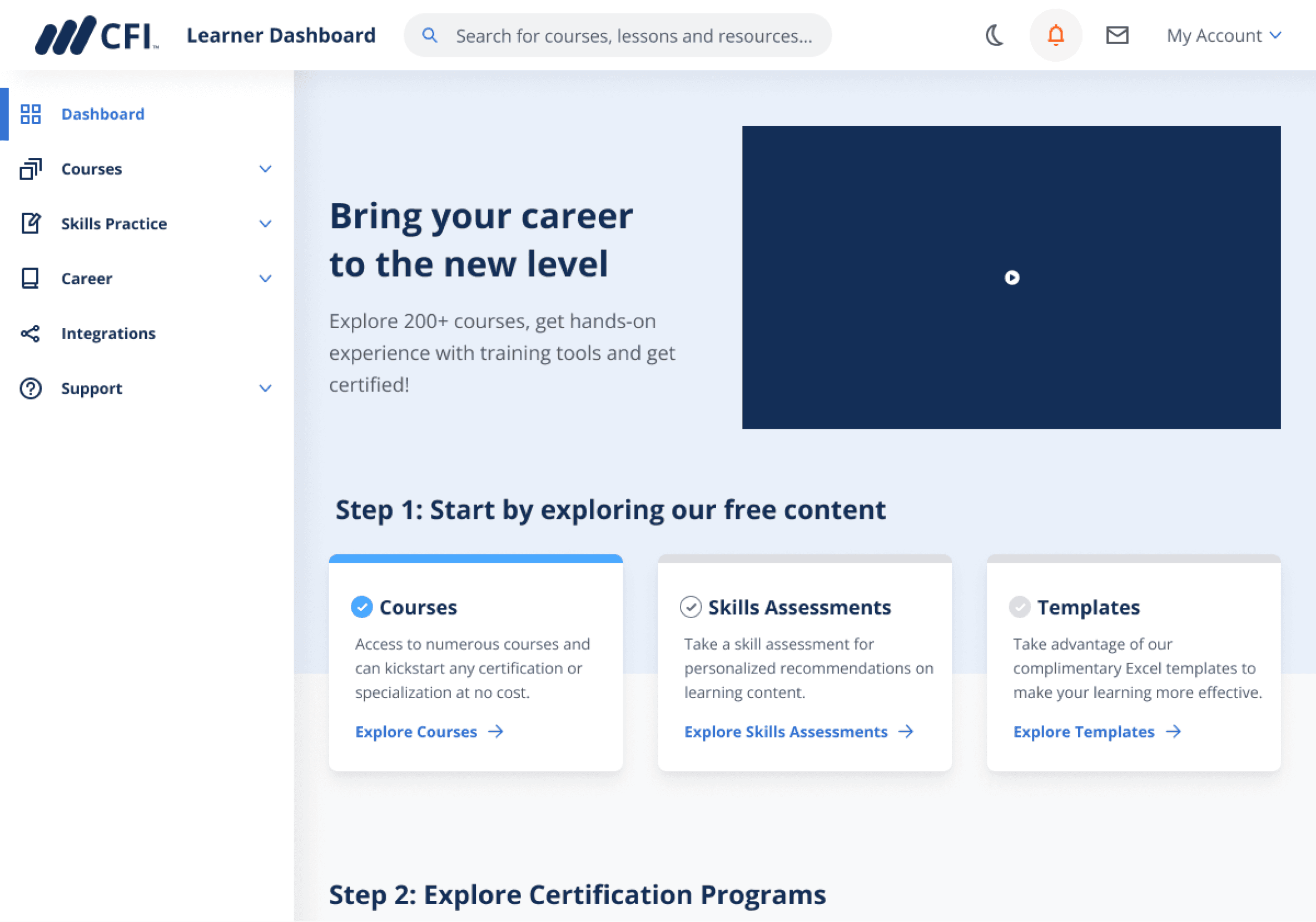
3rd iteration
Resolving team misalignment

Throughout the process we had a team conflict on interaction behaviour which I resolved by showing how similar interactions perform on competitors sites

To provide learners with a more interactive experience I suggested adding a checkmark to each step and as a learner completes the step, the checkmark would turn green.

My manager and I had difficulties agreeing on when the checkmark turns green. I was leaning towards making it green when a learner completes a step (finishes a course, etc.), while other team members suggested turning a checkmark green when a user clicks on the CTA next to it.

To support my idea I showed how ‘onboarding’ steps look like on other e-learning platforms. I communicated that to create a feeling of accomplishment for a learner a checkmark should turn green only after an activity that requires effort such as finishing a course is complete.

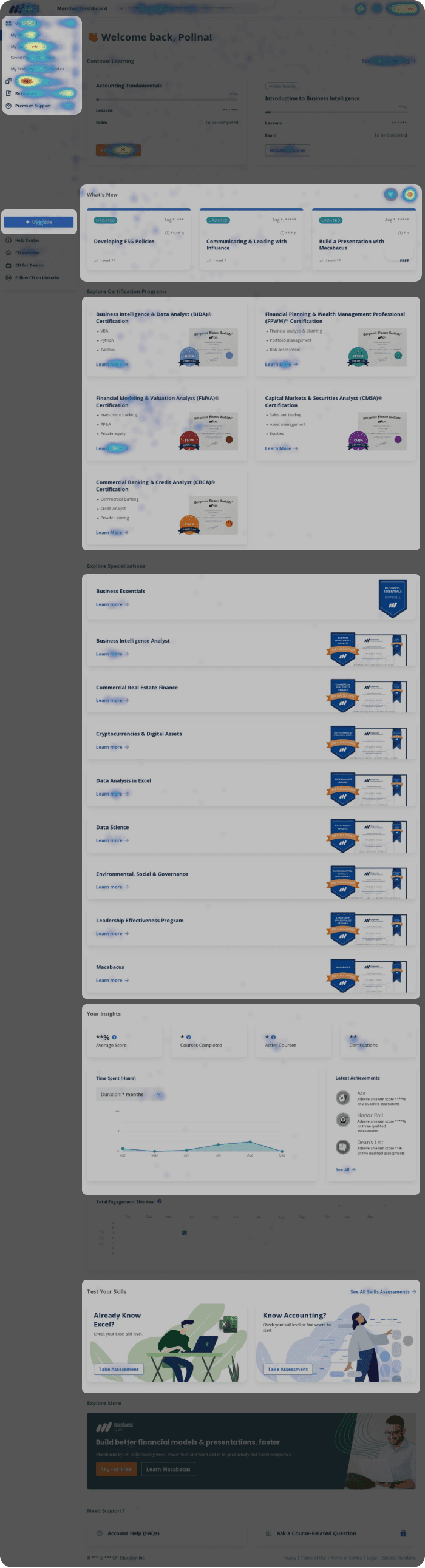
Using heatmap I analyzed clicks on the homepage and identified areas where learners do not click and, thus, those sections should be either re-designed or replaced.

Menu gets the most clicks. Learners were not clicking around the homepage, but instead going to courses page.

Low clicks on ‘Upgrade’ CTA meaning that learners have no interest in finding more about paid features

What’s New section despite being at the top of the page gets low clicks.

Specializations section is lengthy and each specialization lacks description

Insights section is hidden far below in the page and barely has any clicks

Skills Assessments despite being a free resource gets no clicks probably due to being at the bottom of the page.

Certifications program that interests 61% of learners (survey analysis) gets some clicks

Show highlights

Content on the homepage was not relevant to free learners and, thus, got abandoned fast

Research part 2: Homepage content and heat maps analysis

Design update #2

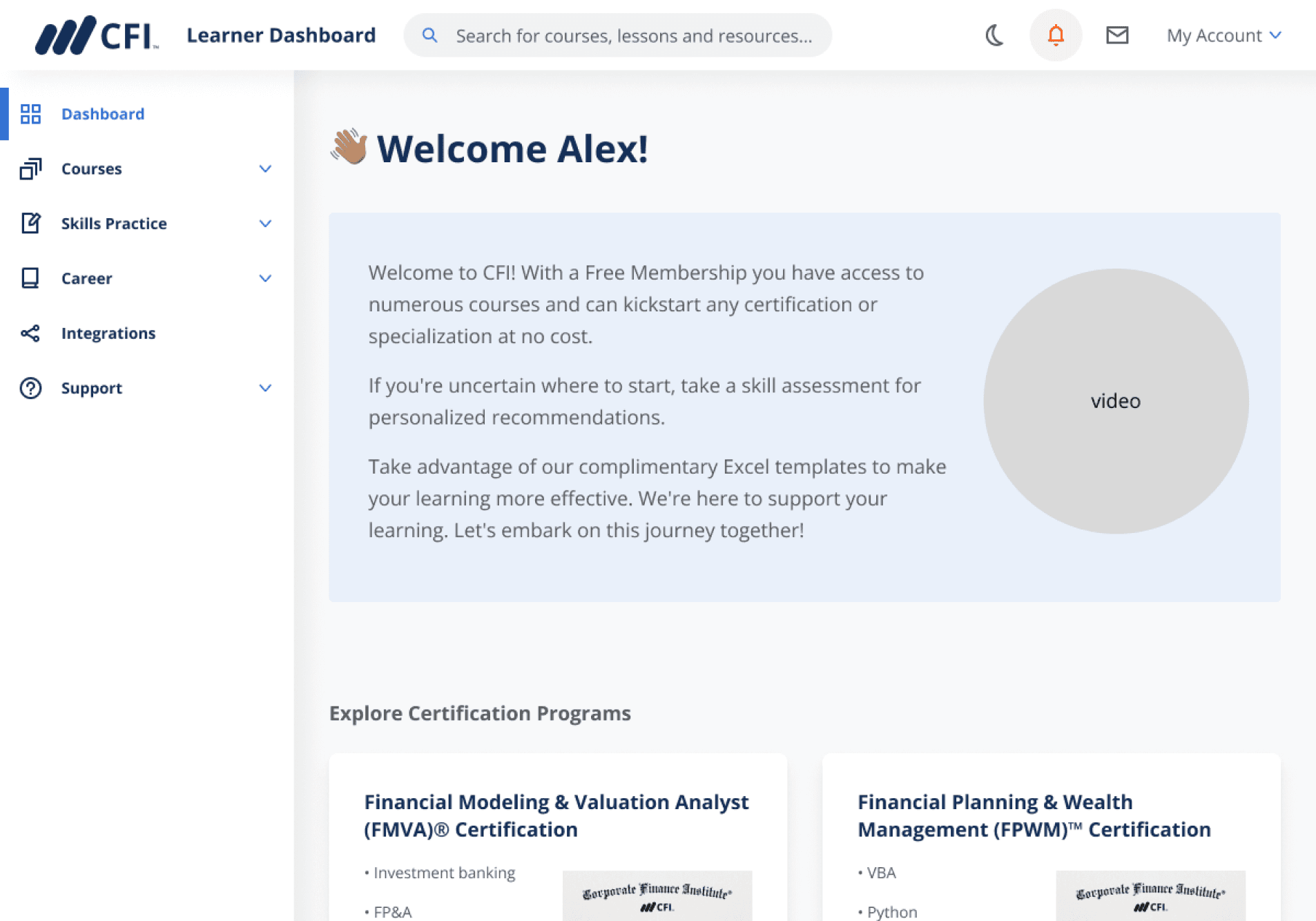
In collab with instructors we added a short welcome video to the homepage to increase learner engagement

Due to lack of visibility great free resources such as Skills Assessments and Excel Templates were missed by free users.

I enhanced the discoverability of a free excel templates by adding a link to it on the homepage (spoiler: that increased templates discoverability by 47%, see Outcomes for details).

To increase engagement on the homepage we added a 2-minute video welcoming new learners to CFI and inviting them to start their learning journey.

Added welcome video to increase engagement

In the previous design skills assessments were down at the bottom, because it’s a free tool helping learners get directions from CFI, I brought it to the top.

Instead of keeping What’s New that was getting low clicks I brought Templates to the homepage, which is one of key free tools CFI has to offer.

I kept the section with certifications untouched as it was getting a good number of clicks

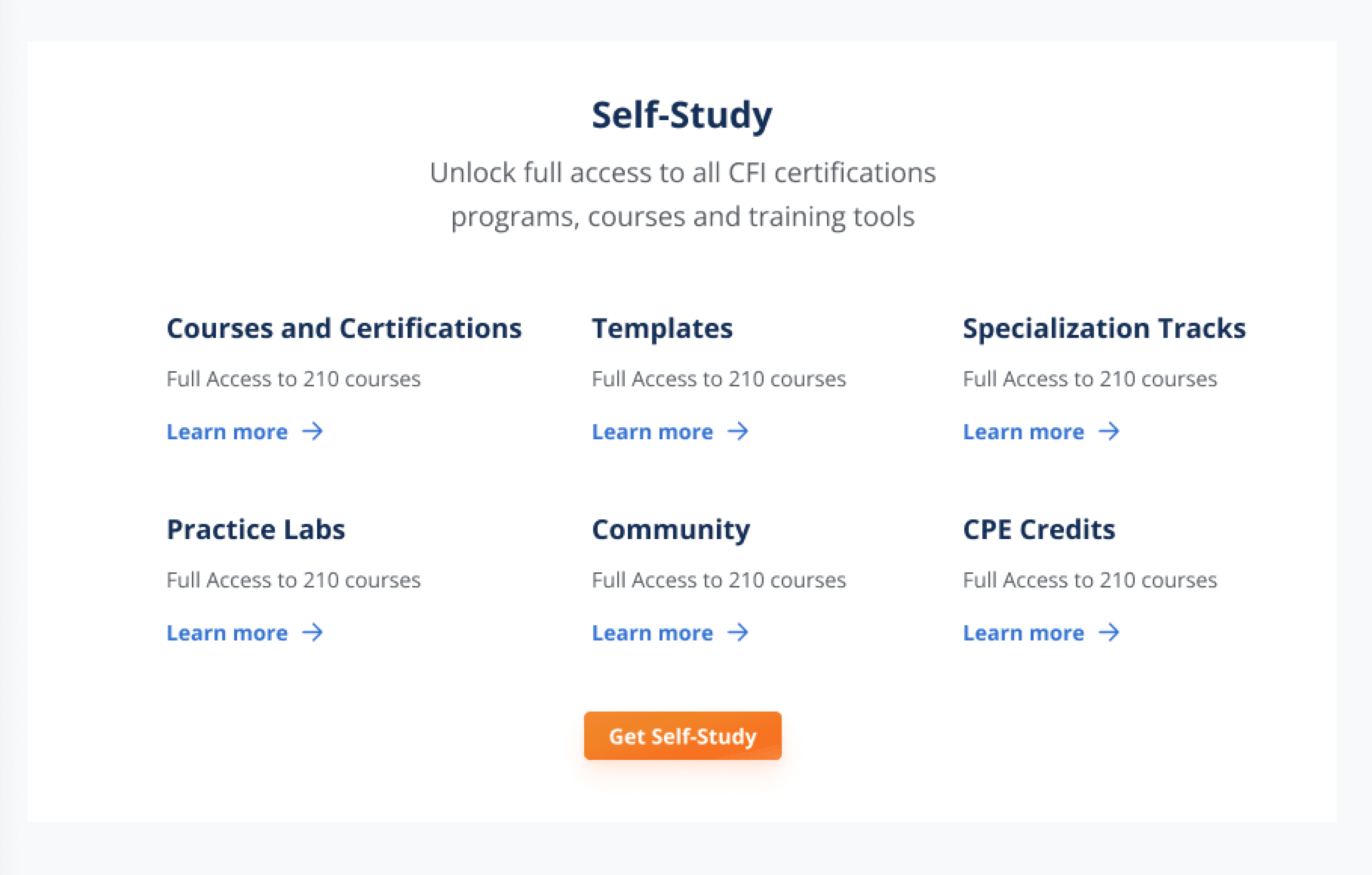
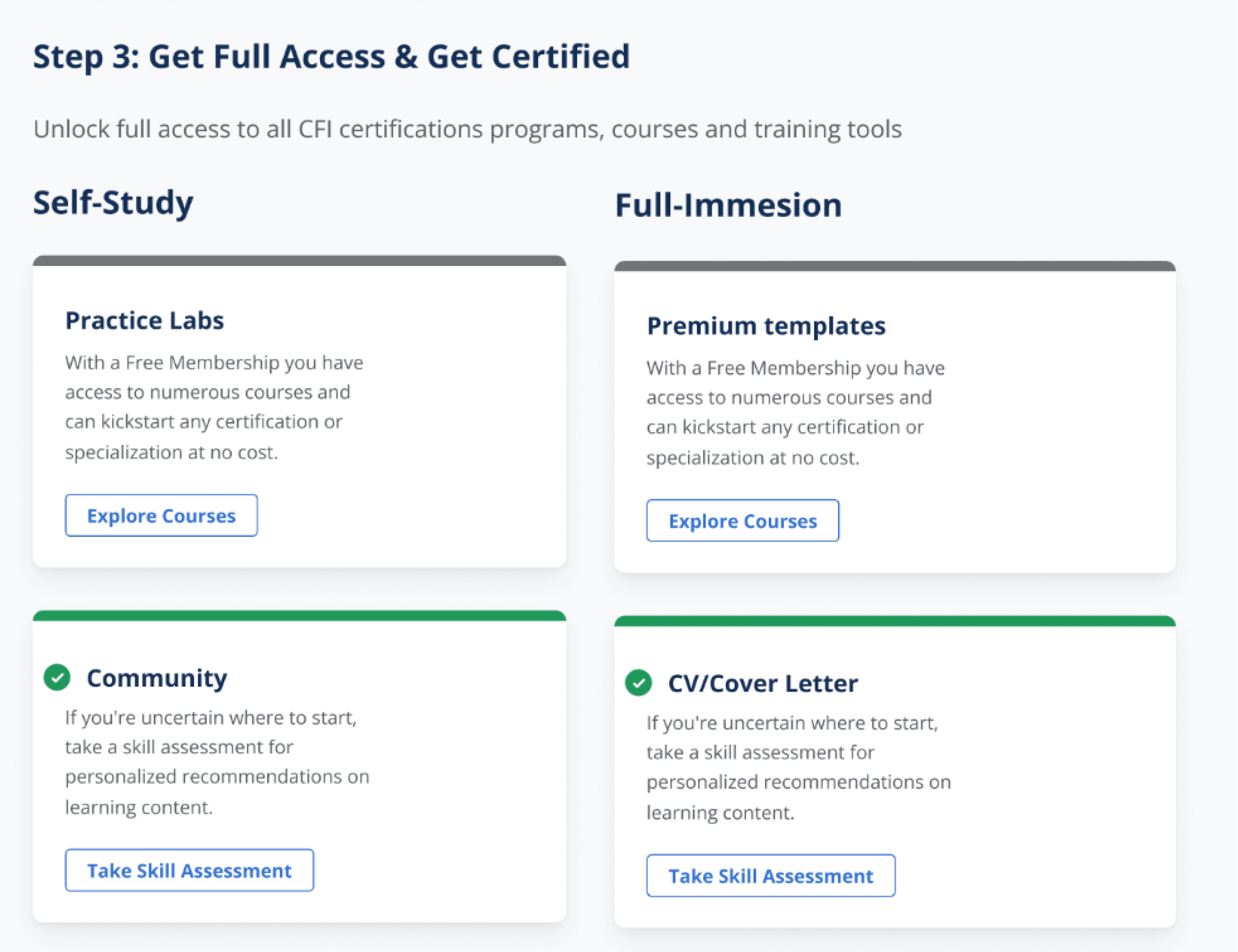
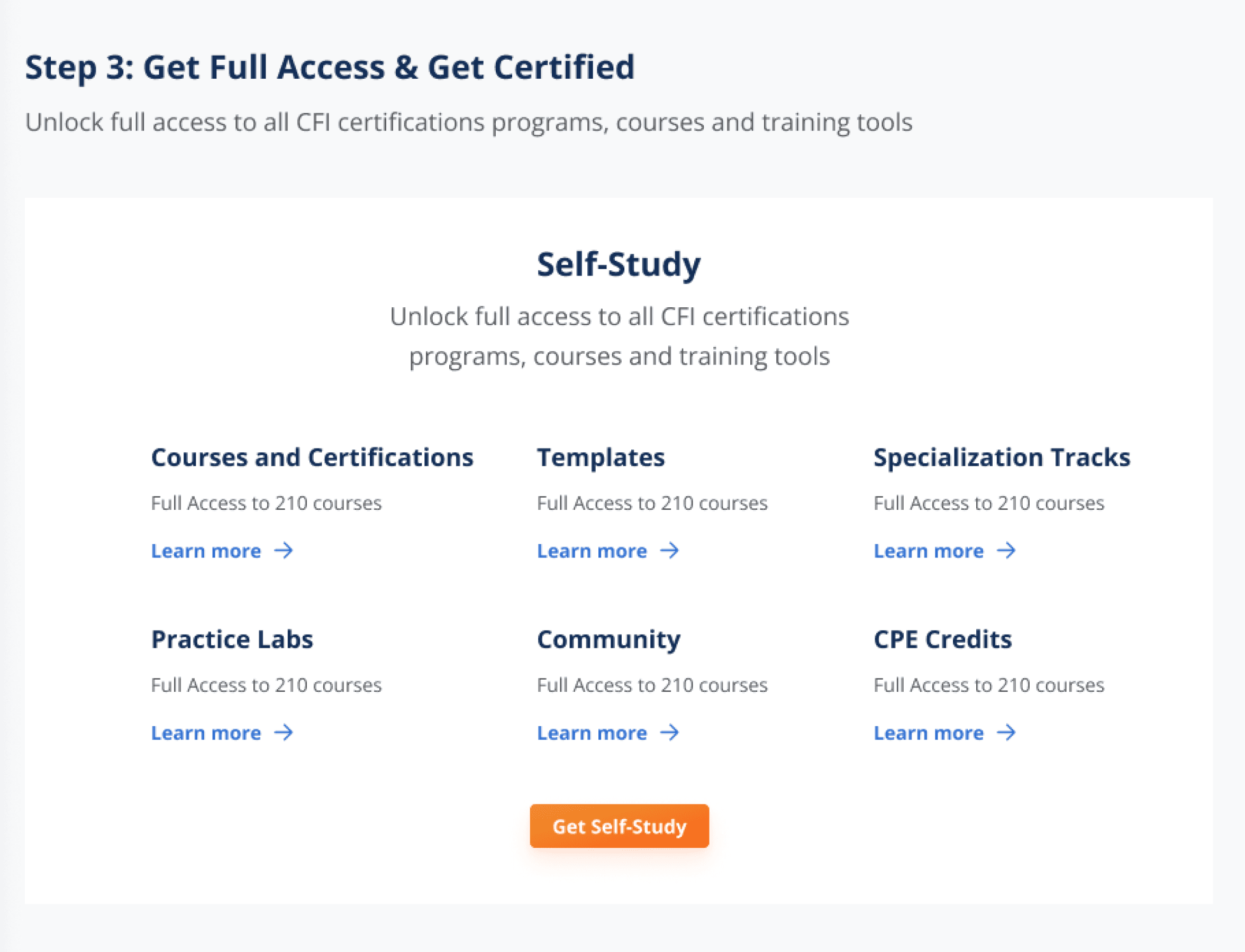
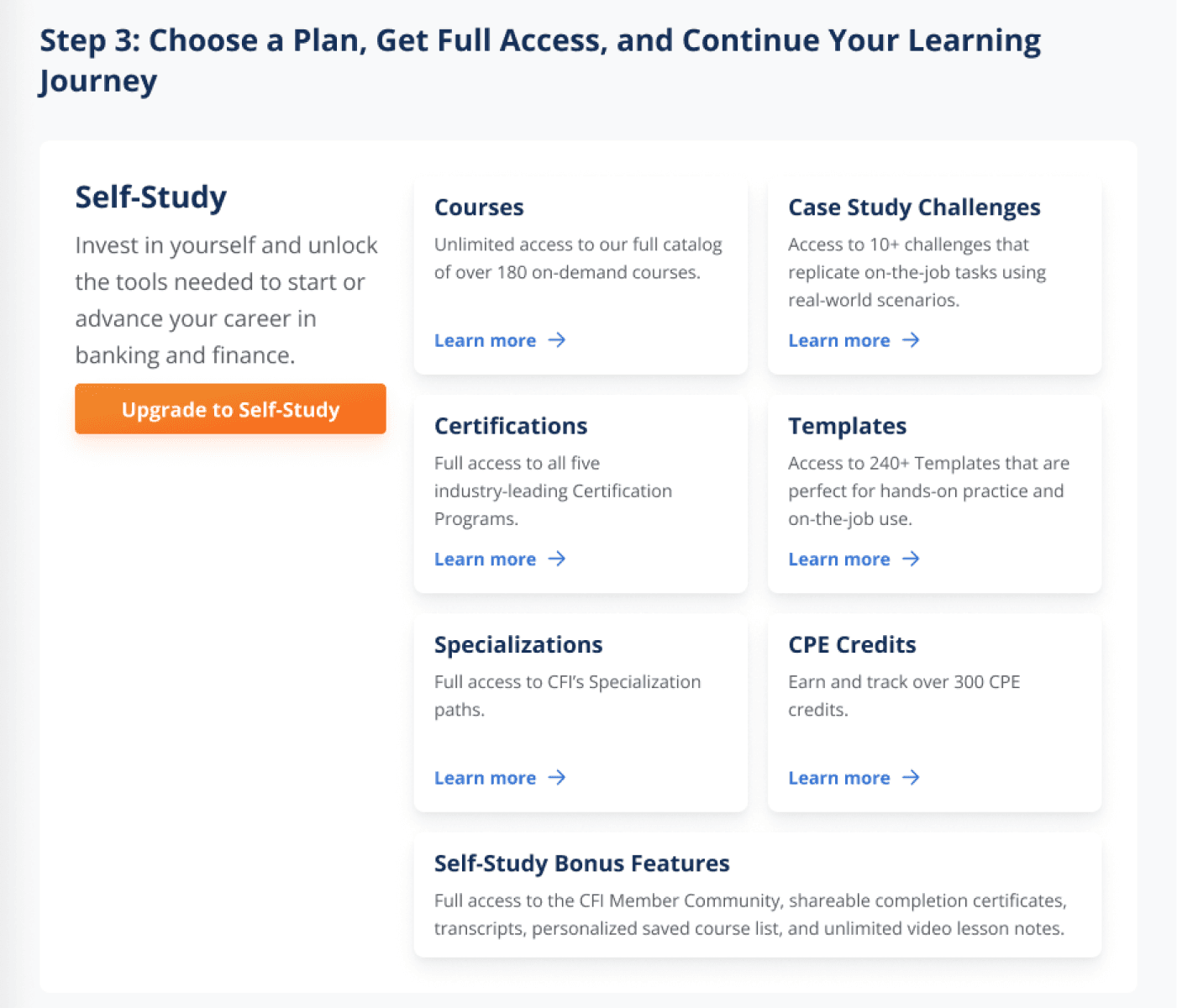
To give learners a better understanding of paid plans benefits I created a card with a short description of each benefit and a link to try it out.

Scroll down to see the design process of this section.

Scroll right to see more ->

Iteration 1: Comparison table looks rather like a pricing plan, to shift from this style I restructured the section with benefits list.

Iteration 2: After talking to my Product Manager we came to a decision that one short line of text won’t be enough to describe paid feature benefit.

3rd iteration

Design process

Paid feature page from free subscriber viewpoint

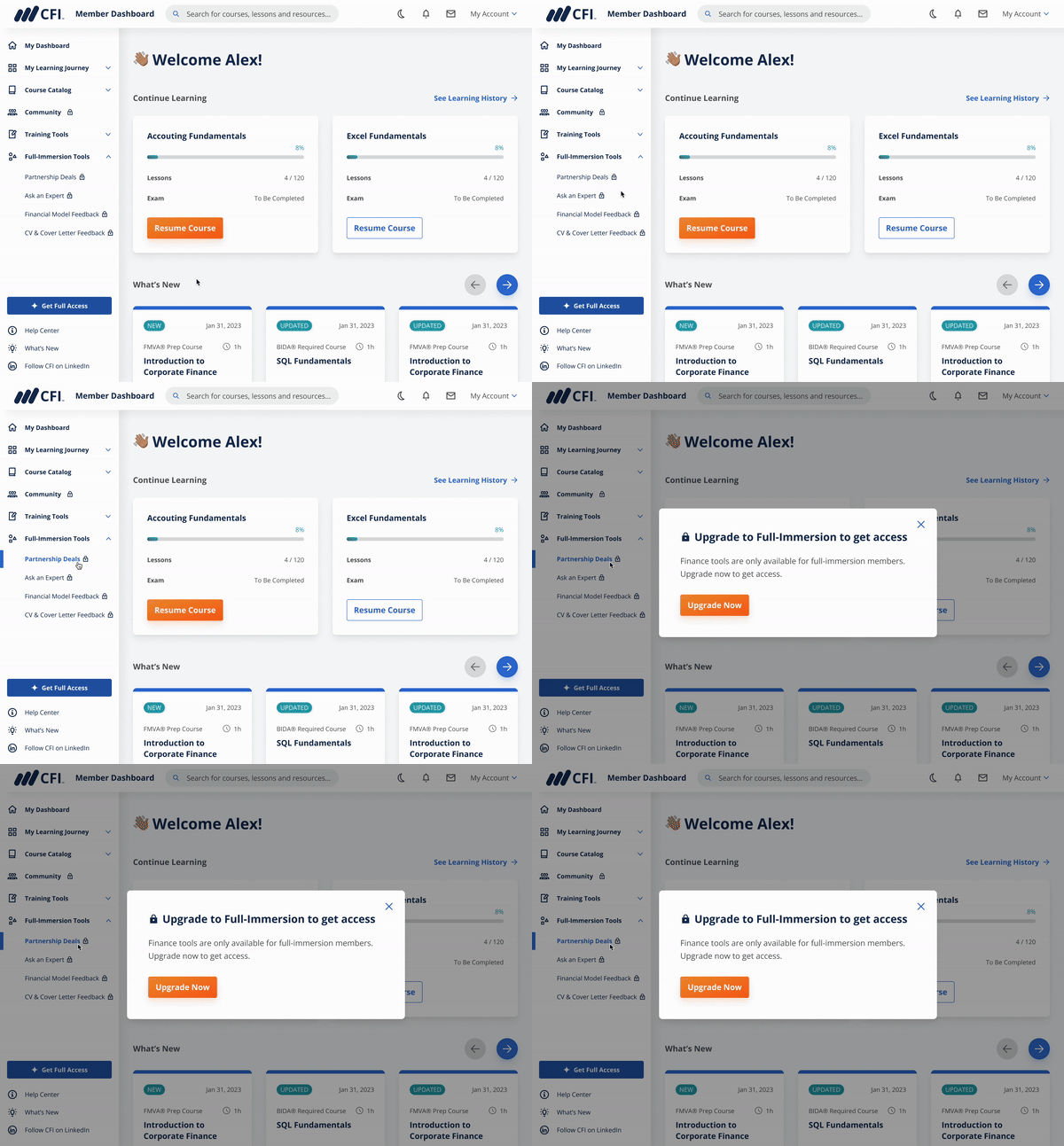
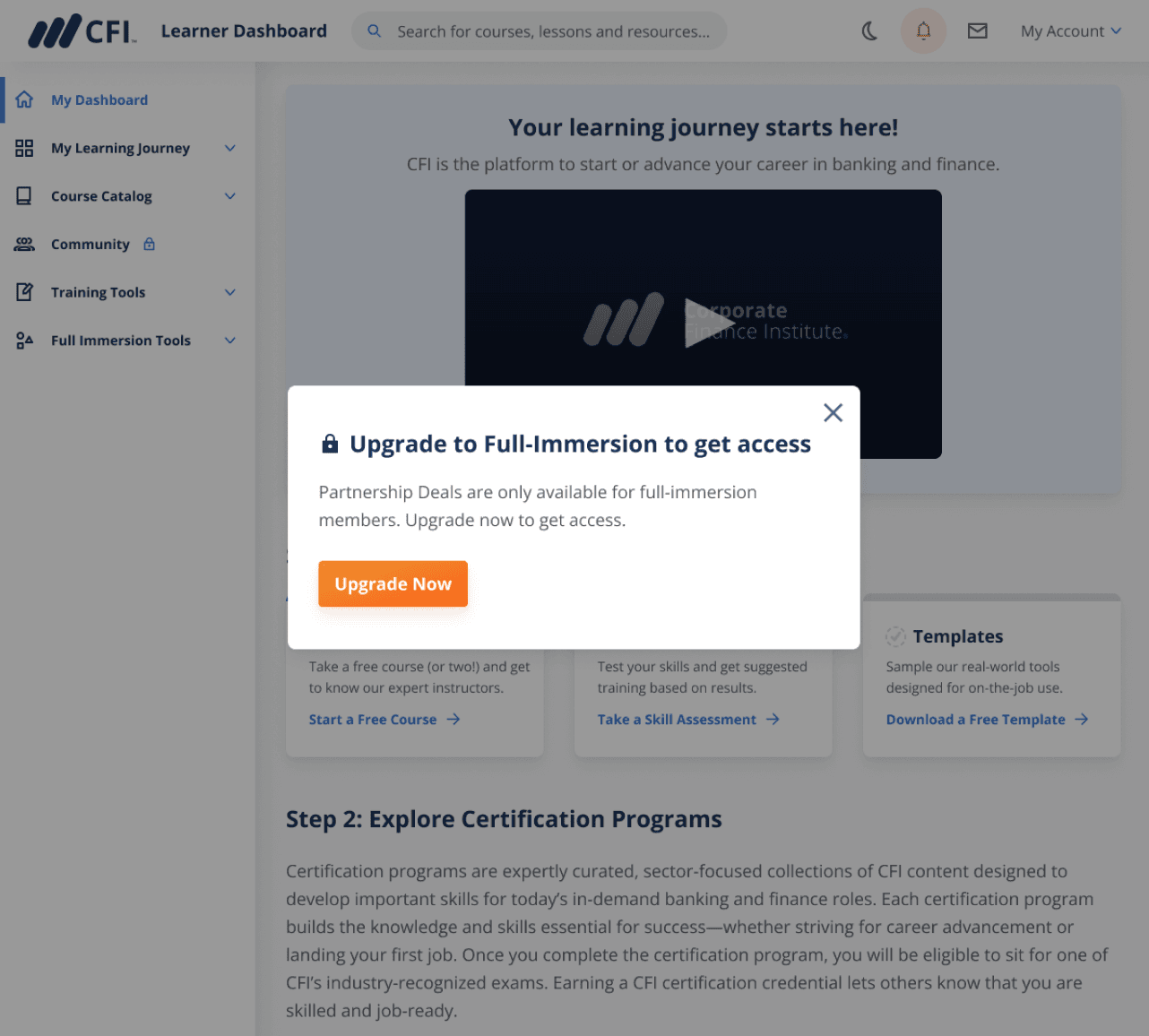
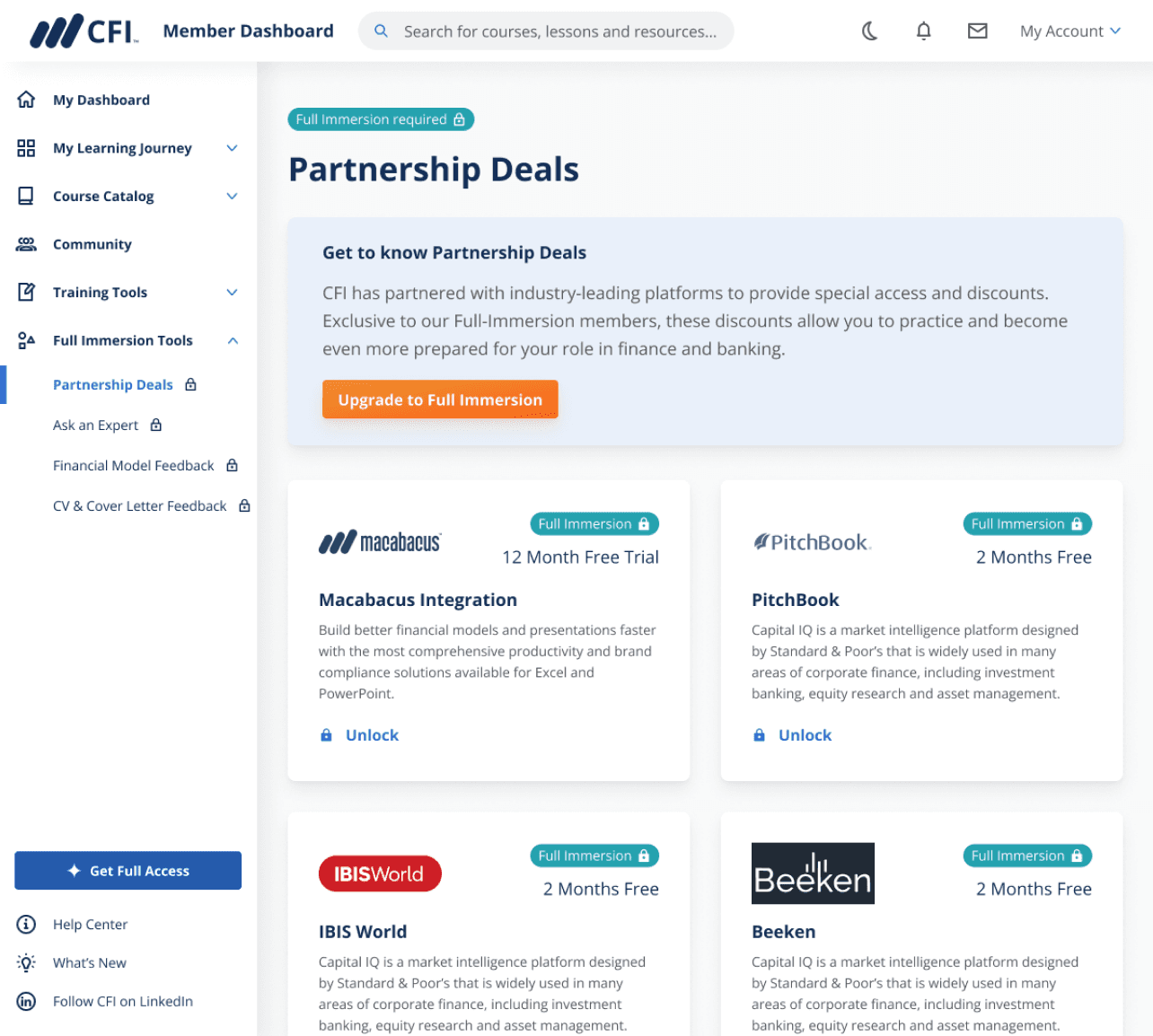
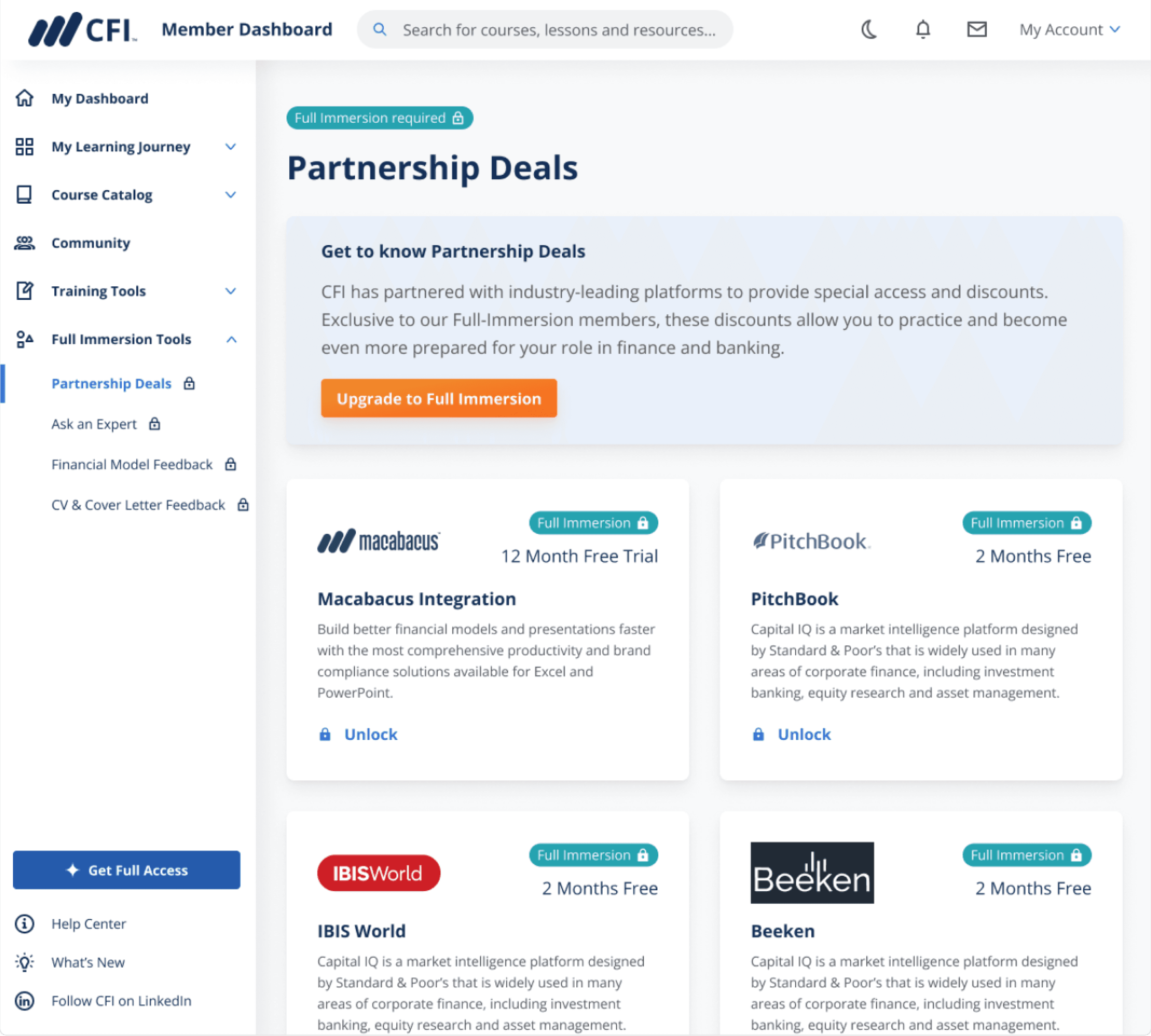
Free users upon clicking on paid features got a blocking pop-up modal. Without having a possibility to try or preview paid features learners did not have a motivation to upgrade.

Absence of paid features preview lead to lack of reasons for upgrading

Research 3: Paid features access analysis

Design update #3

In collab with Engineers I added preview of paid features providing free learners with a better idea on how they can benefit from paid subscription

One of the issues why learners were not upgrading earlier was that they could not see the whole value of paid features because paid features were neither available for preview nor described on the dashboard.

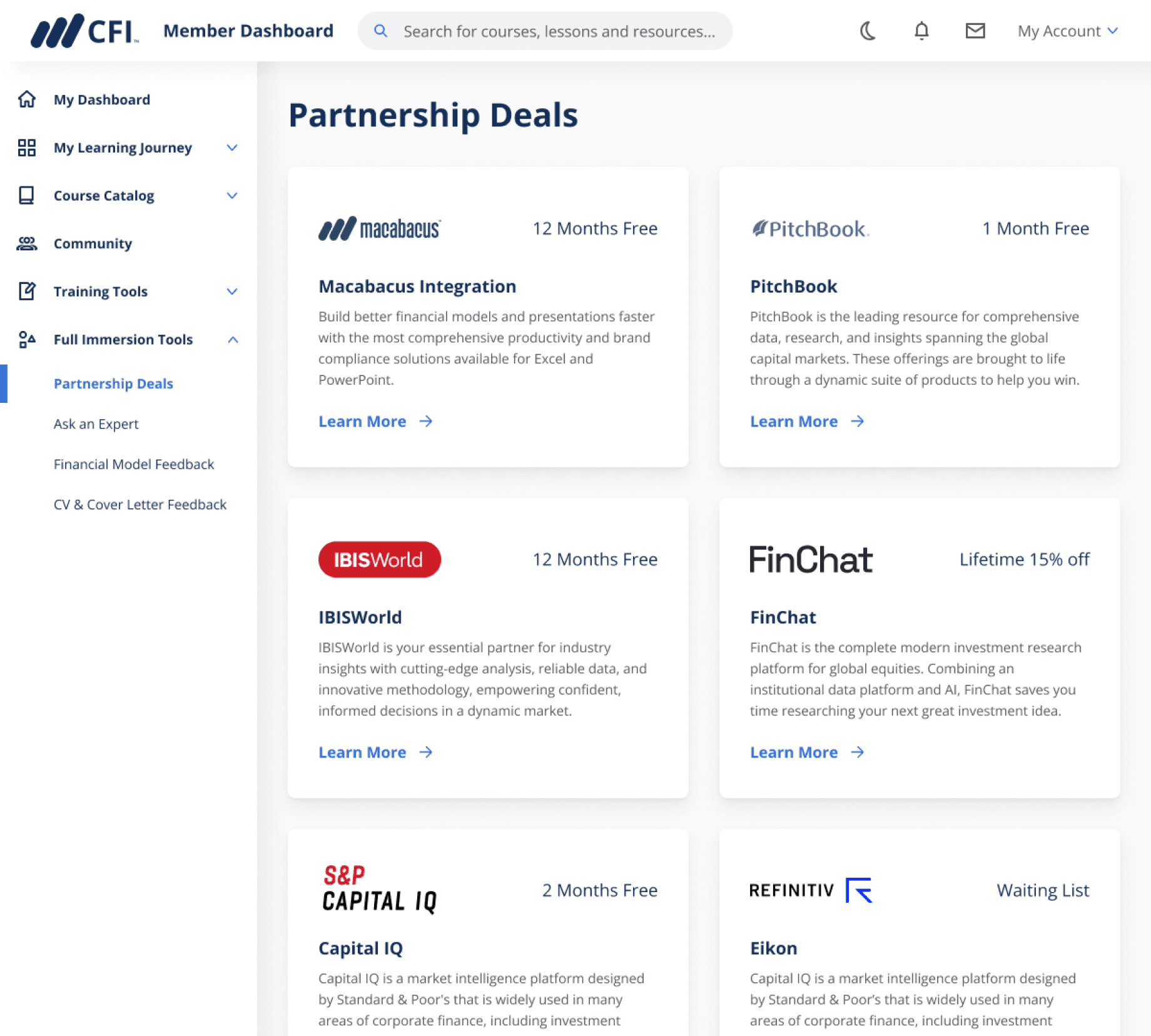
While seeking the optimal solution, I came across the design of how paid feature page looked like for paid learners. I suggested my manager to utilize same page style, but make it ‘preview’ mode for free learners with a call-to-action allowing them upgrade to a paid plan immediately. My manager liked the idea and also suggested adding a description to better outline benefits of paid feature.

I recommended modifying a paid feature page towards free users making it preview and including a call-to-action to upgrade

Paid feature page from paid subscriber viewpoint

Choosing the concept

Before & After

Before design update upon clicking on paid feature free learners were getting blocking pop-up modal. After design update learners got a ‘preview’ mode showcasing how they can benefit from paid features helping them making a better decision on upgrading.

Before: blocking pop-up modal

After: preview mode with description

Unexpected outcome

Free learners requests to Customer Support seeking help on where to get started dropped by 50%

Customer Support team manager shared that free learners often reach out to them to get help on where to start learning journey. It was difficult to identify for free learners which courses to start with (and which courses to choose) as well as what resources are available at CFI for free. 

Final thoughts

Small changes can have big impact

When being limited with time and looking to make revenue-related impact look for quick wins that can be iterated on fast.

Understand users needs and show how your product can help them

User research helped me identify what free learners are looking for at CFI. By making homepage redesign I helping them discover more value at CFI.

polinakarasova.me@gmail.com

Let's Create Something

Cool Together

Get in Touch

Crafting from scratch a phone app for advanced language learners to create a custom dictionary and take practice tests. Got 4.4 rating in App Store.

Wordbook app

View another project

Hey there! To see the whole case study please switch to the desktop. Thanks!

🚧

Hey there! To see the whole case study please switch to the desktop. Thanks!

🚧