Displaying Return On Investment
of B2B e-learning tool
April to November 2023
Overview
I designed complex multi-persona tool to help finance organizations assess proficiency level of their employees and see the Return On Investment of online training.
Team
Product Designer (me)
Product Manager
VP of Product
Engineering team
Customer Success team
My role
Conducted user interviews and identified a major pain point on displaying ROI of online training.
Led UX decisions.
Initiated daily design standups to rapidly gather and apply feedback from stakeholders.
Want to get a glimpse of the project?
Here are key screens I worked on
Want to get a glimpse of the project? Here are key screens I worked on
Want to get a glimpse of the project? Here are key screens
I worked on
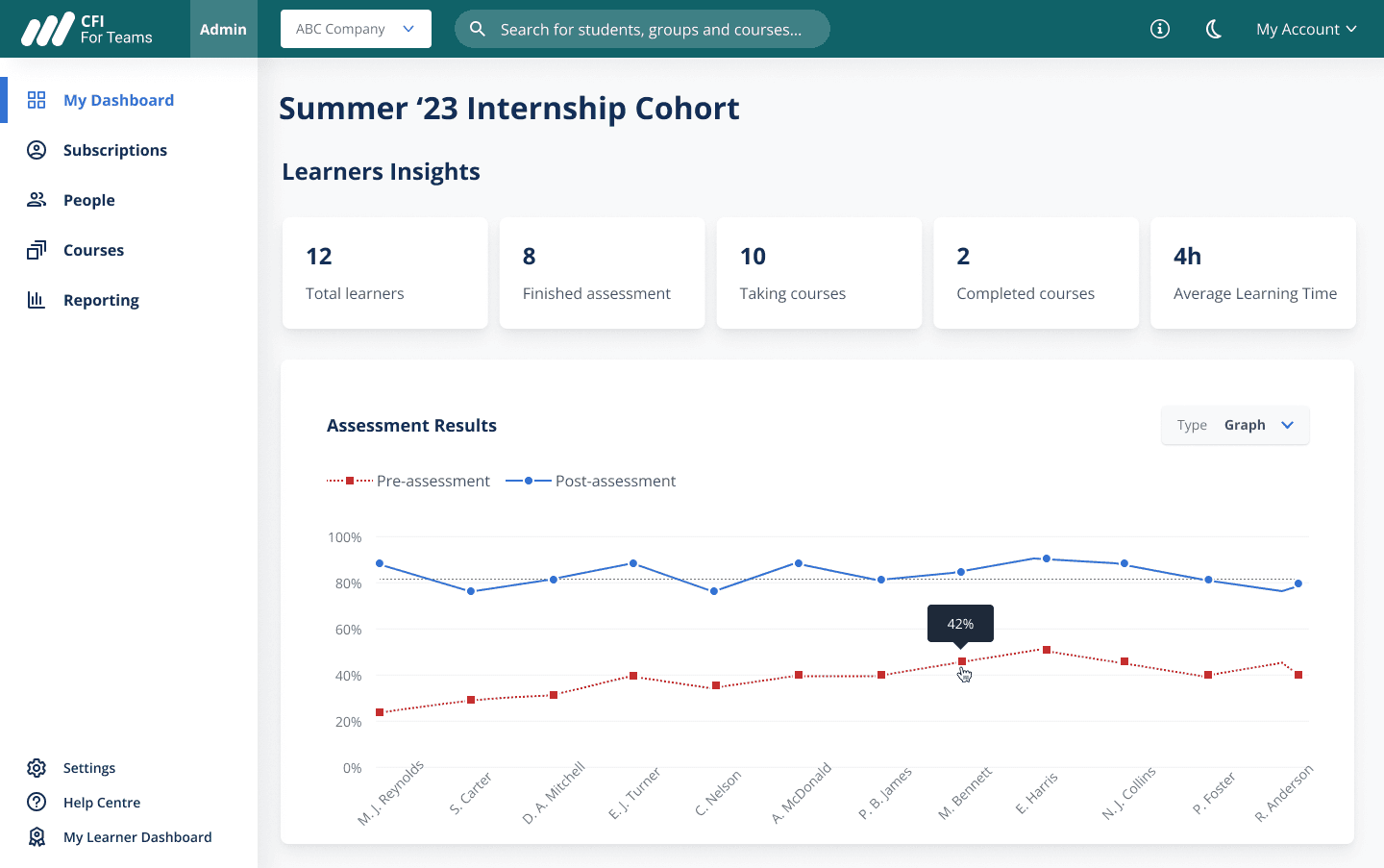
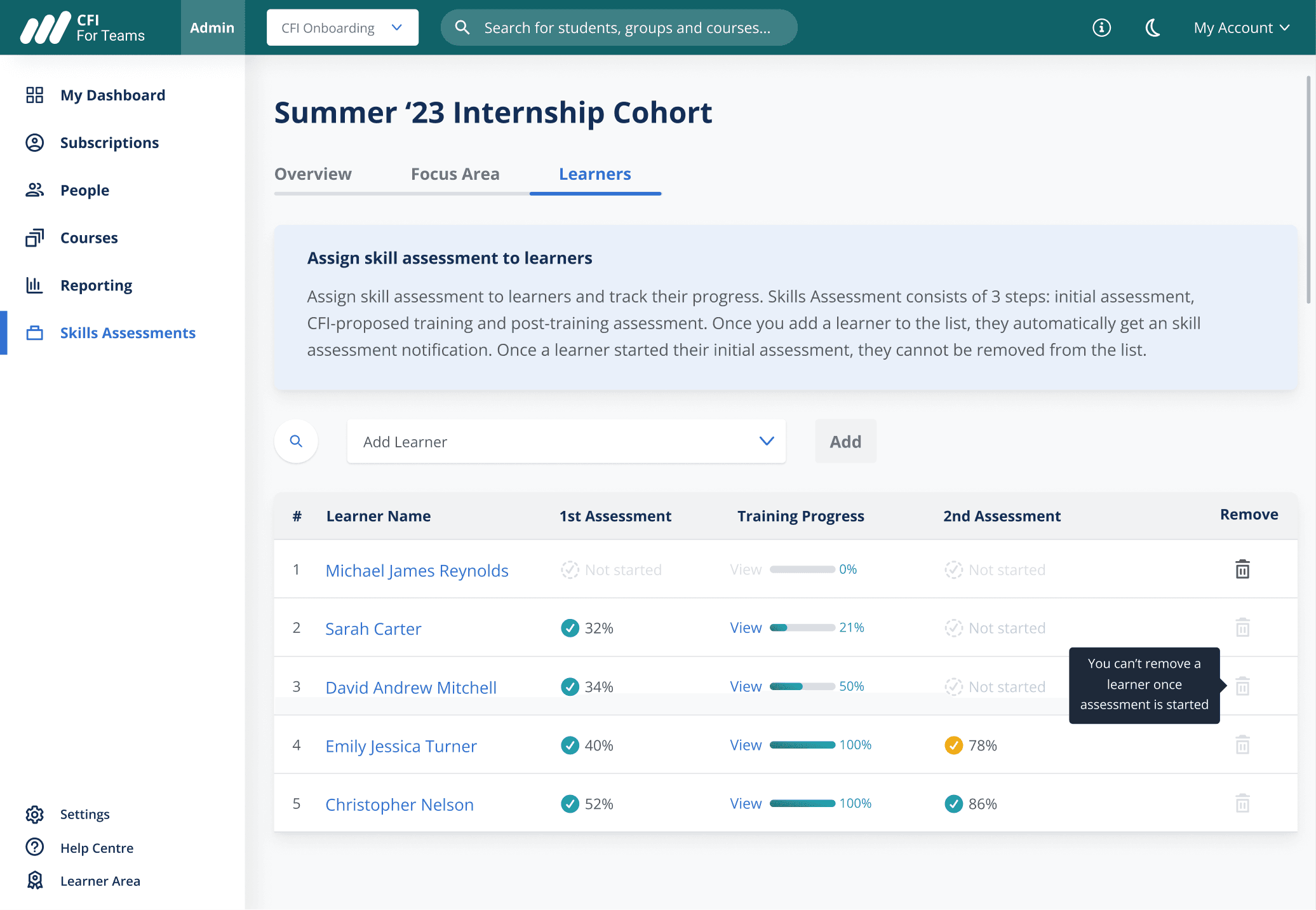
Assessments results of each employee before and after training that shows ROI of the training
Comparison graph of pre- and post-training assessments that shows high level training results
What is CFI?
CFI providers online training to banks and financial institutions to upgrade skills of their employees.
Corporate Finance Institute (CFI) is an e-learning company that provides courses and certifications as a training resource for employees in banks and finance departments.
They are our B2B customers.
Background
In 2022 we launched a new B2B product,
but we didn’t know much about its users.
So we decided to conduct user interviews.
User Interviews
Me and a fellow designer partnered with customer support team to recruit managers at finance orgs
for user interviews.
Goal was to learn more about customers:
why they signed up for CFI
what they like about CFI
what pain points they have
Pain Point
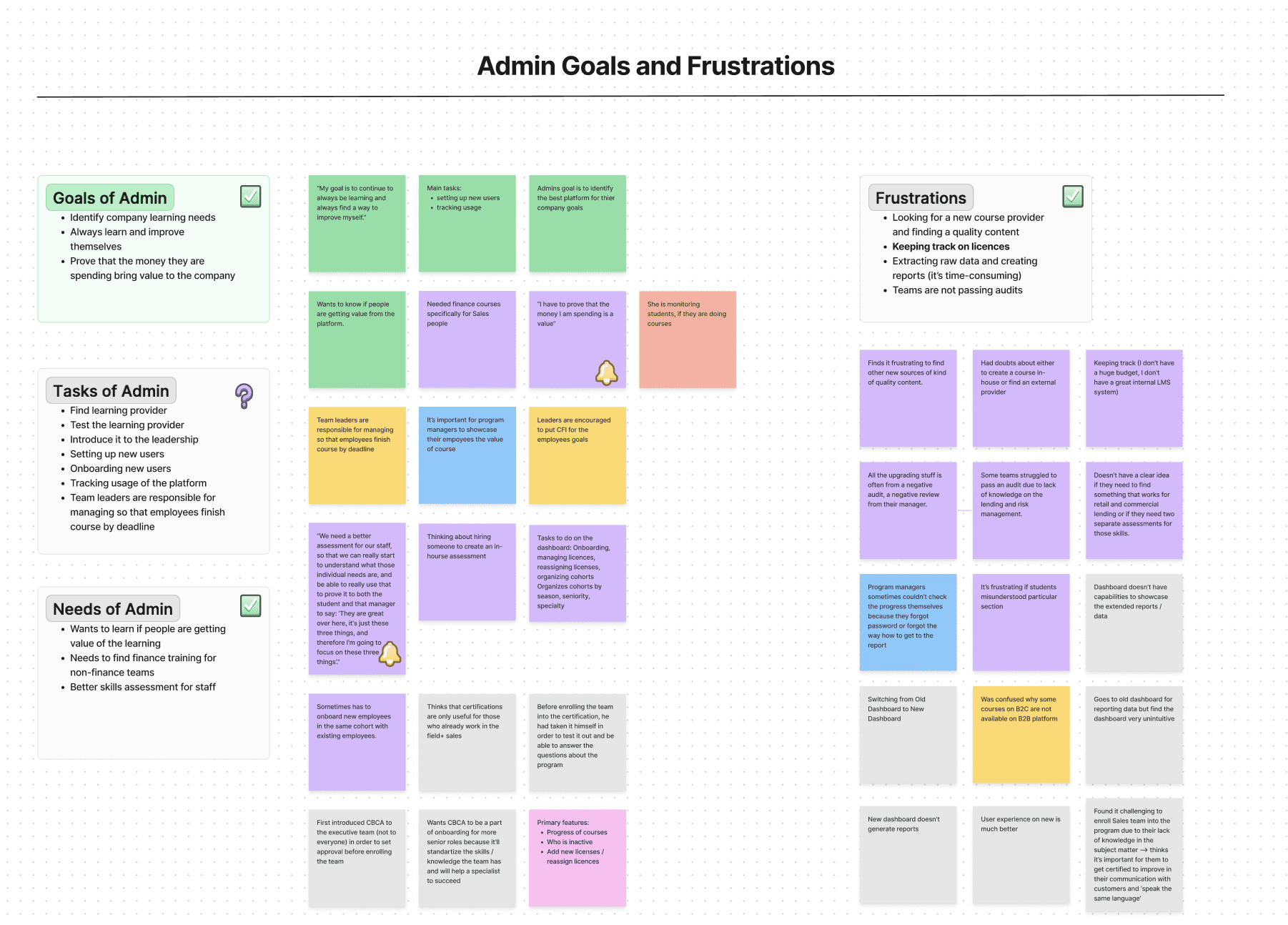
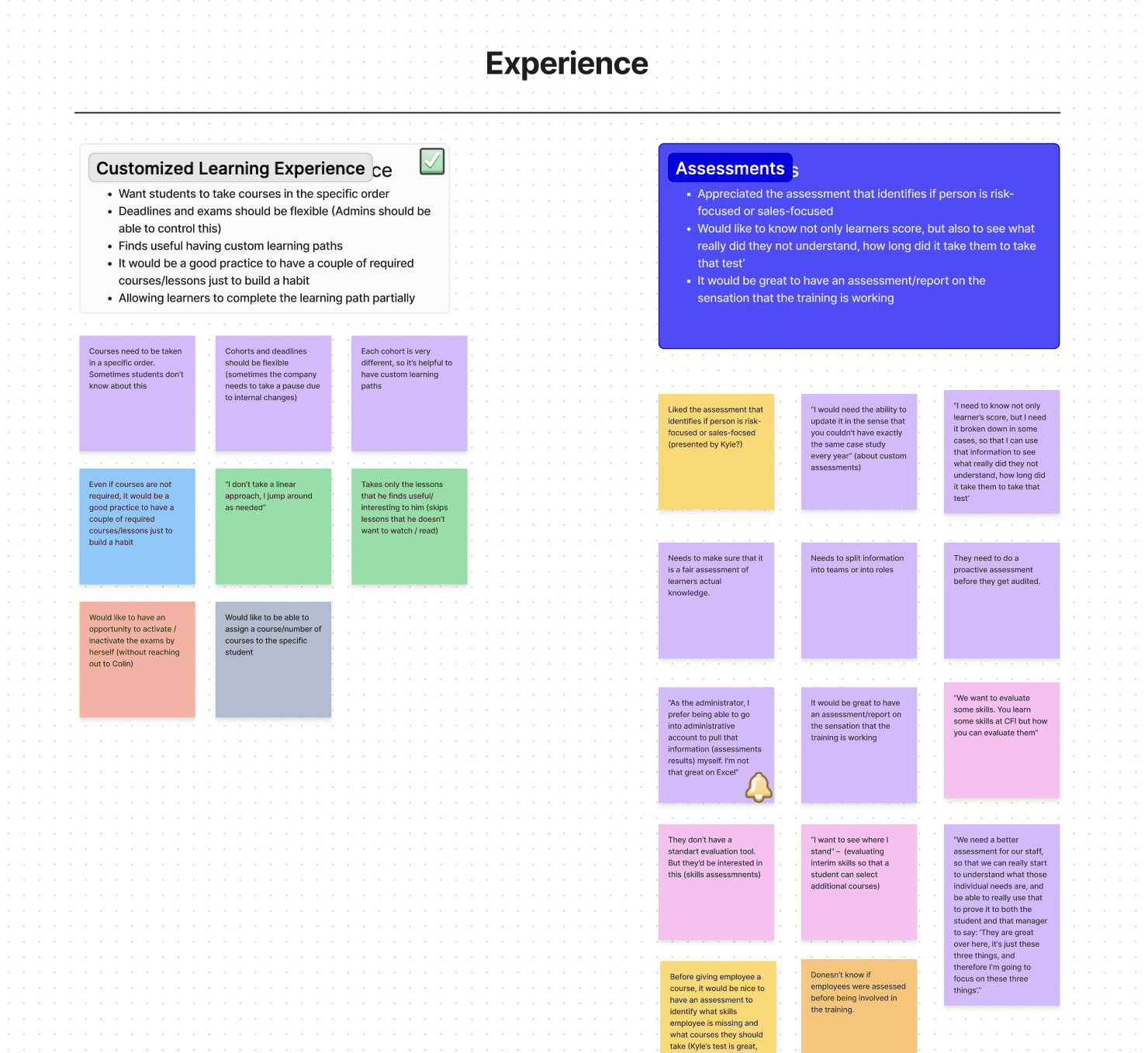
Managers in finance departments are not sure how CFI subscription benefits their team, and thus can’t see ROI of the learning.
Evaluation tool is something interesting to me. You learned some skills with CFI. We want to see how you improved.
Financial Advisor at Decathlon
Identifying project scope and creating first user flow
In collaboration with stakeholders we created a Project Charter and user stories based on which I made user flows.
Skills Assessment can be divided into two major parts:
Manager sets up an assessment
Employee takes an assessment and gets recommended courses based on results
Using Project Charter and user stories I created two user flows:
Indicating every step that manager would have to take to set up an assessment
Indicating how assessment should adjust based on learner answers in the assessment
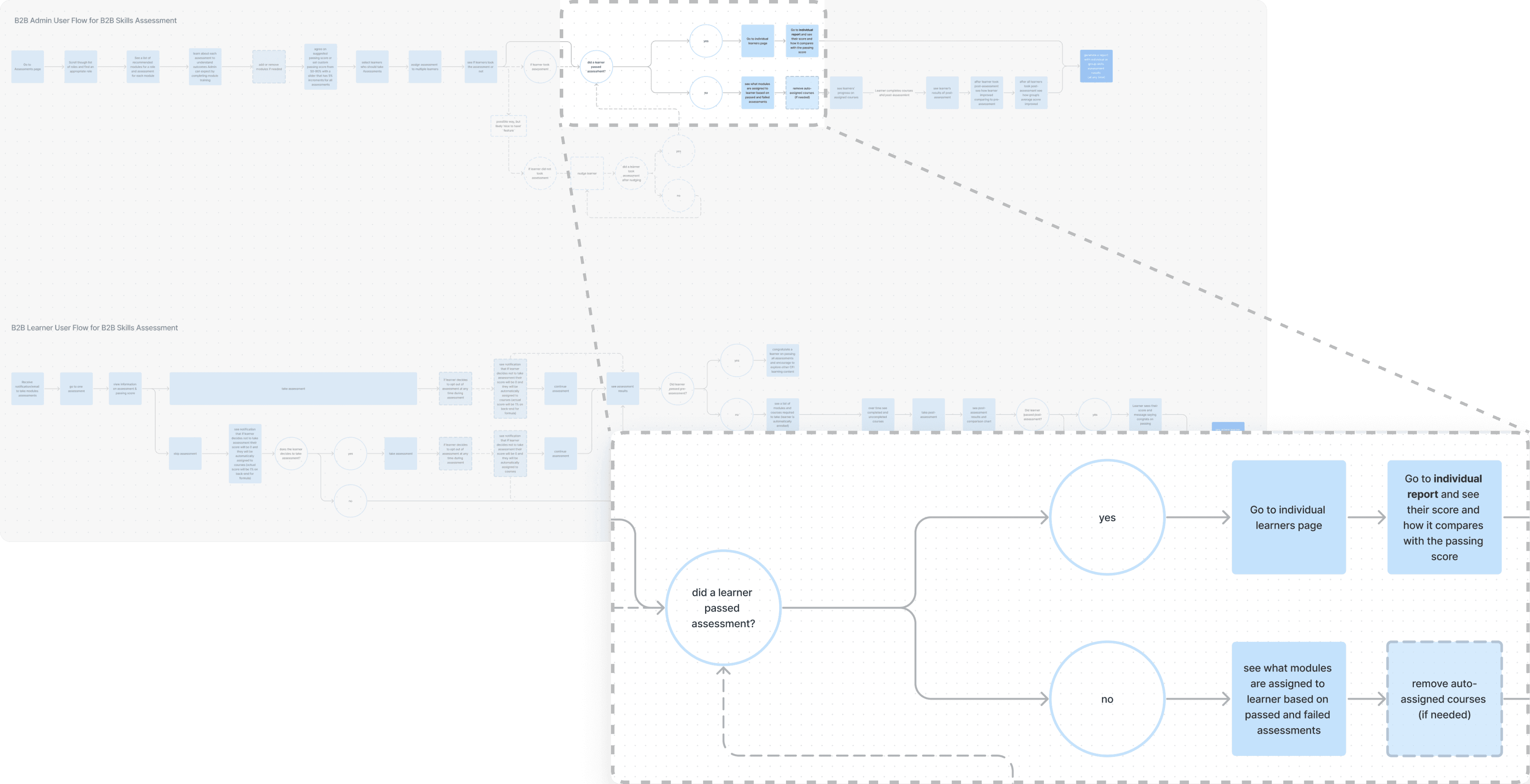
Realizing the size of the project using user flows
User flows I created helped key stakeholders realize how complex the project is which led to pausing it until we would have more resources.
User flows helped to visualize every details of Skills Assessments user-facing aspect. Now we could better understand the amount of effort required from the Product and Engineering team.
In the end, I presented user flows to CEO explaining the iterations that users would have to take thought out the Skills Assessments.
We came back to the project with an idea in mind to design and develop it in one quarter....
...which meant that we had ~3 weeks for design
Design process
I initiated having daily standups to move fast on the design given a time constraint due to earlier project pause.
Given earlier pause on the project and needed time to re-define the project scope by the moment we got to the design phase we were very short on time. To speed up the design process I initiated daily design standups to proceed fast with design iterations.
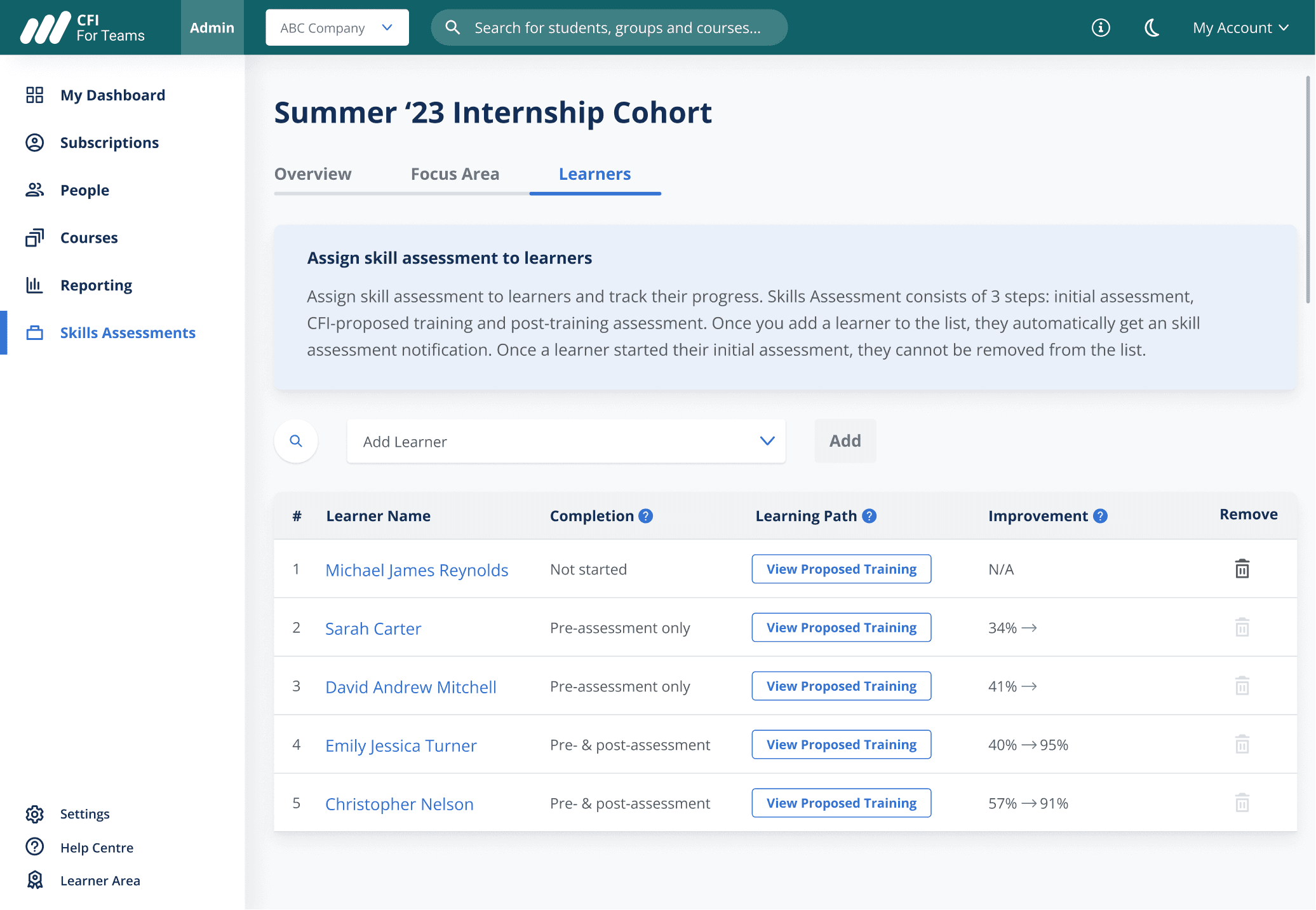
1st iteration
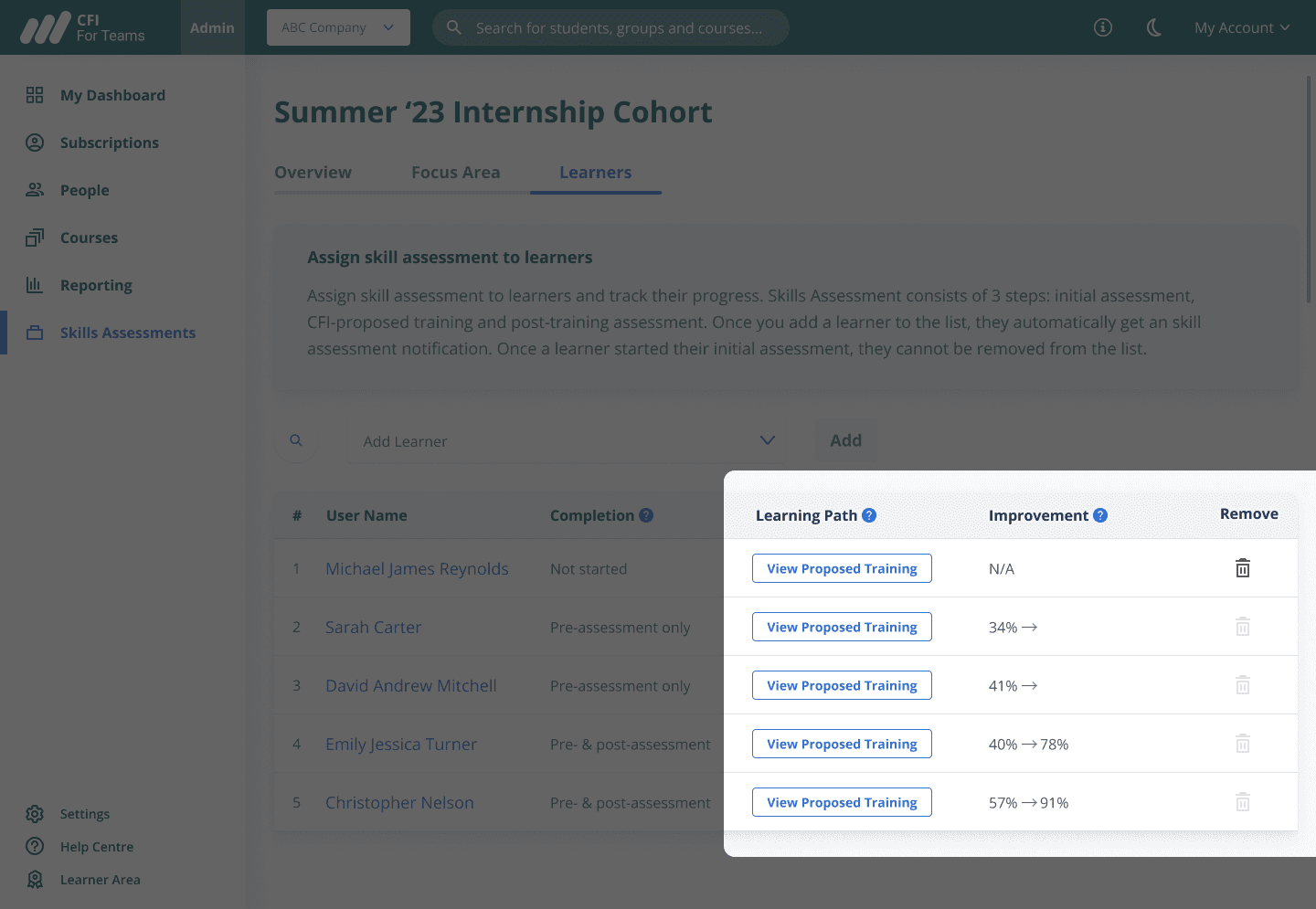
1st iteration
"It’s hard to say if an employee succeeded at second assessment"
Product Manager
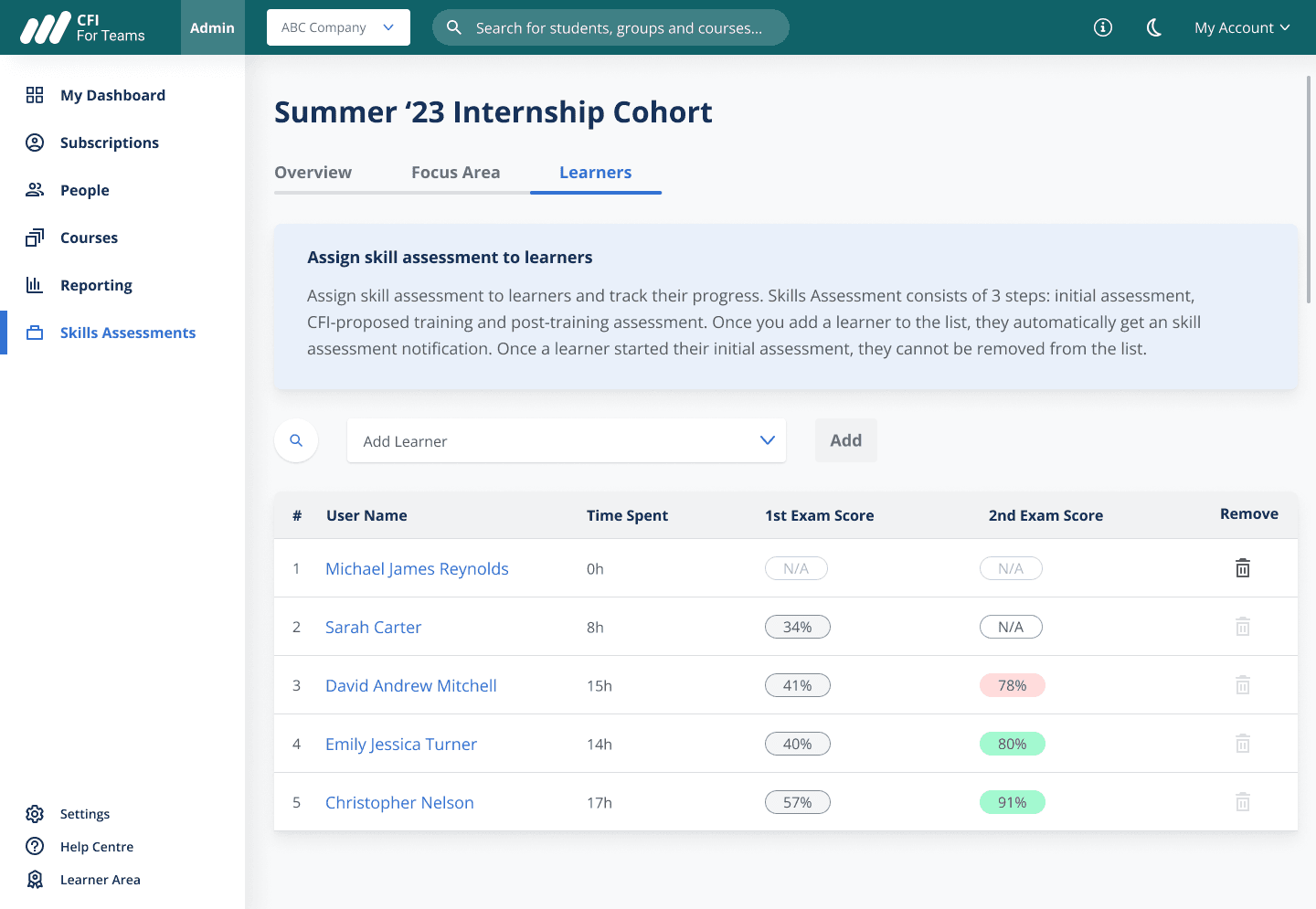
2nd iteration. To indicate whether an employee succeeded or not at the 2nd assessment I used red color for assessments lower than 80%.
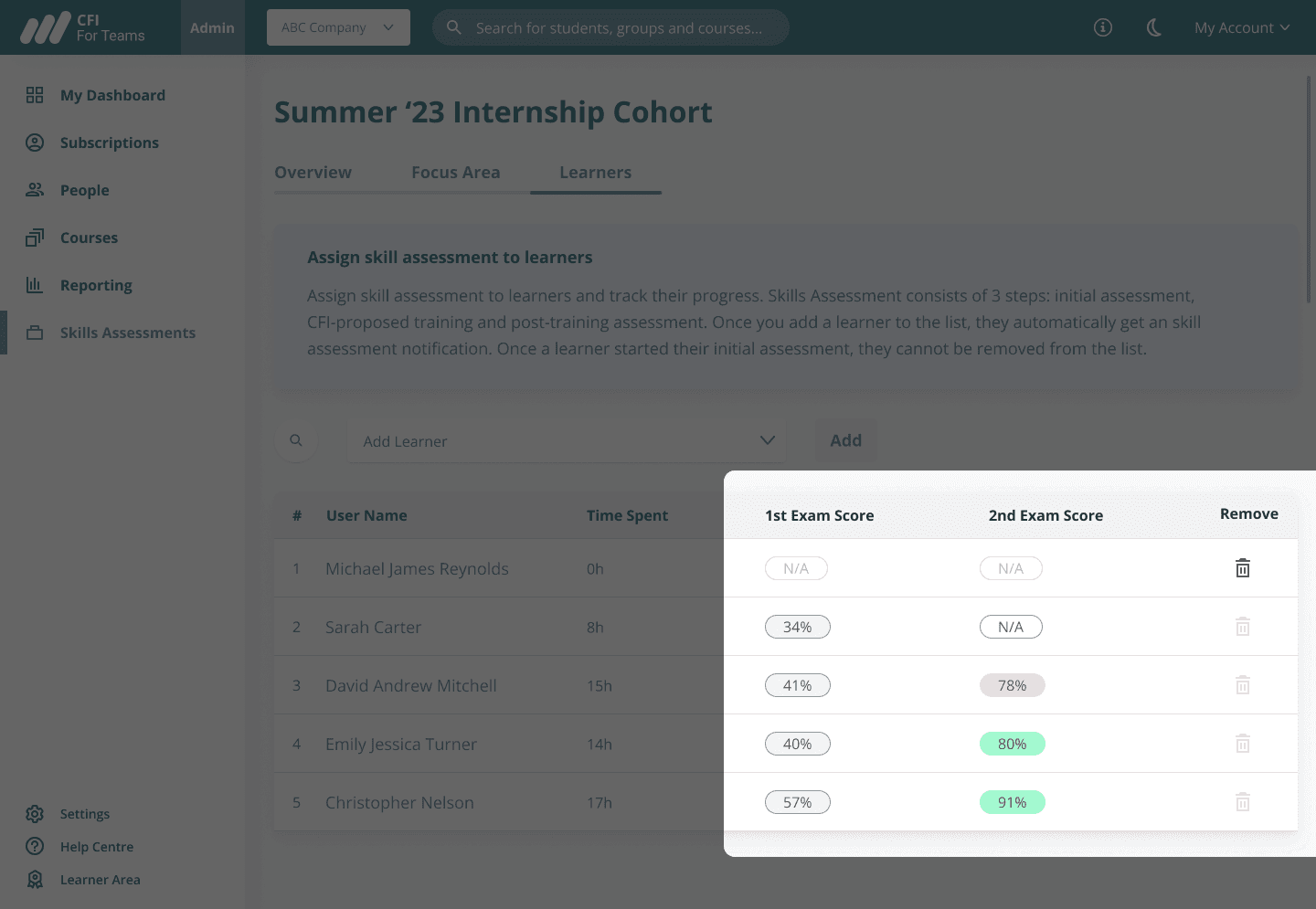
2nd iteration
“What I really want is to figure out really quickly where all my students are [in their learning progress]”
Customer quote from user interviews
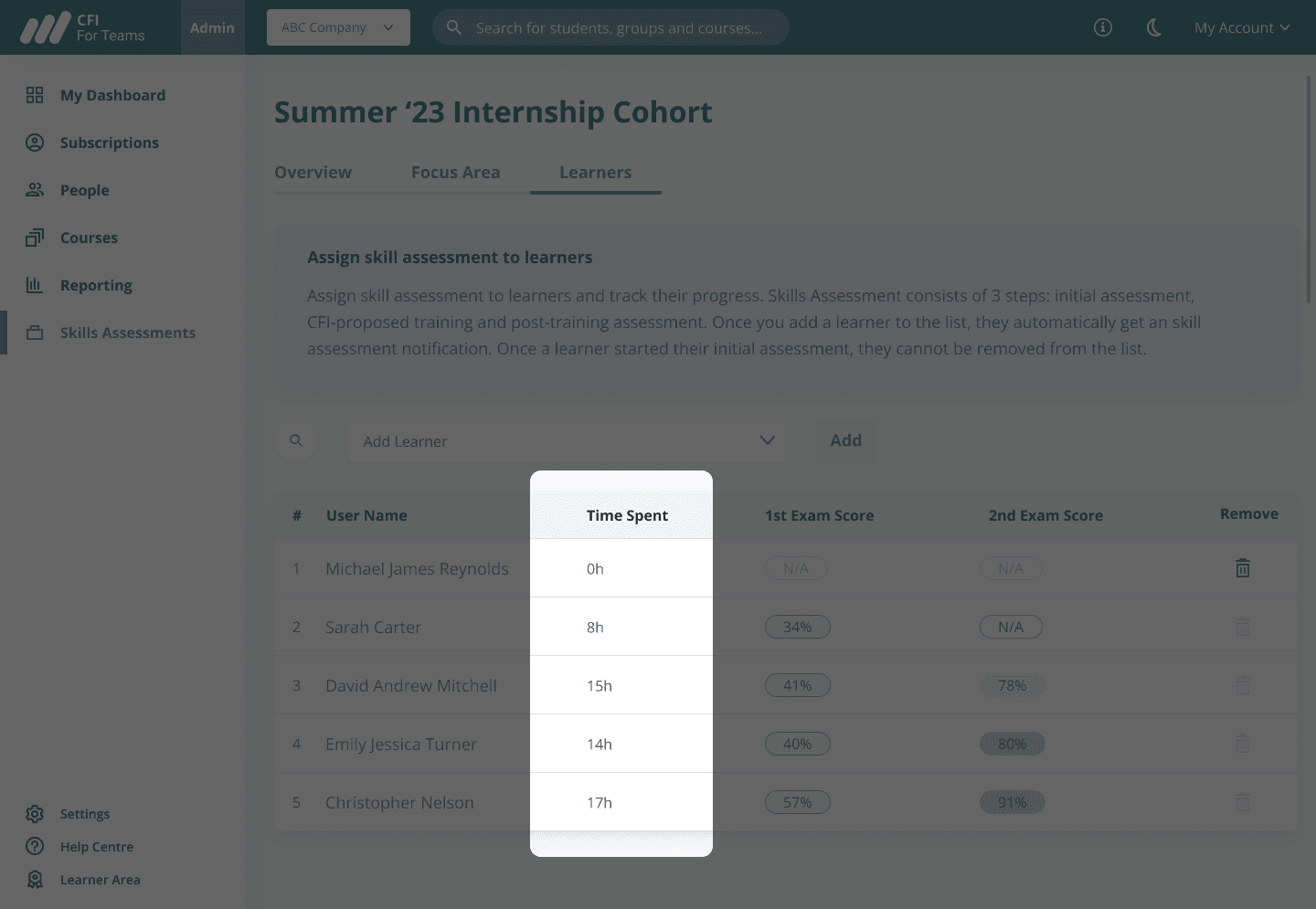
2nd iteration
“Calculating time spent will take an extra week of work”
Front-end developer
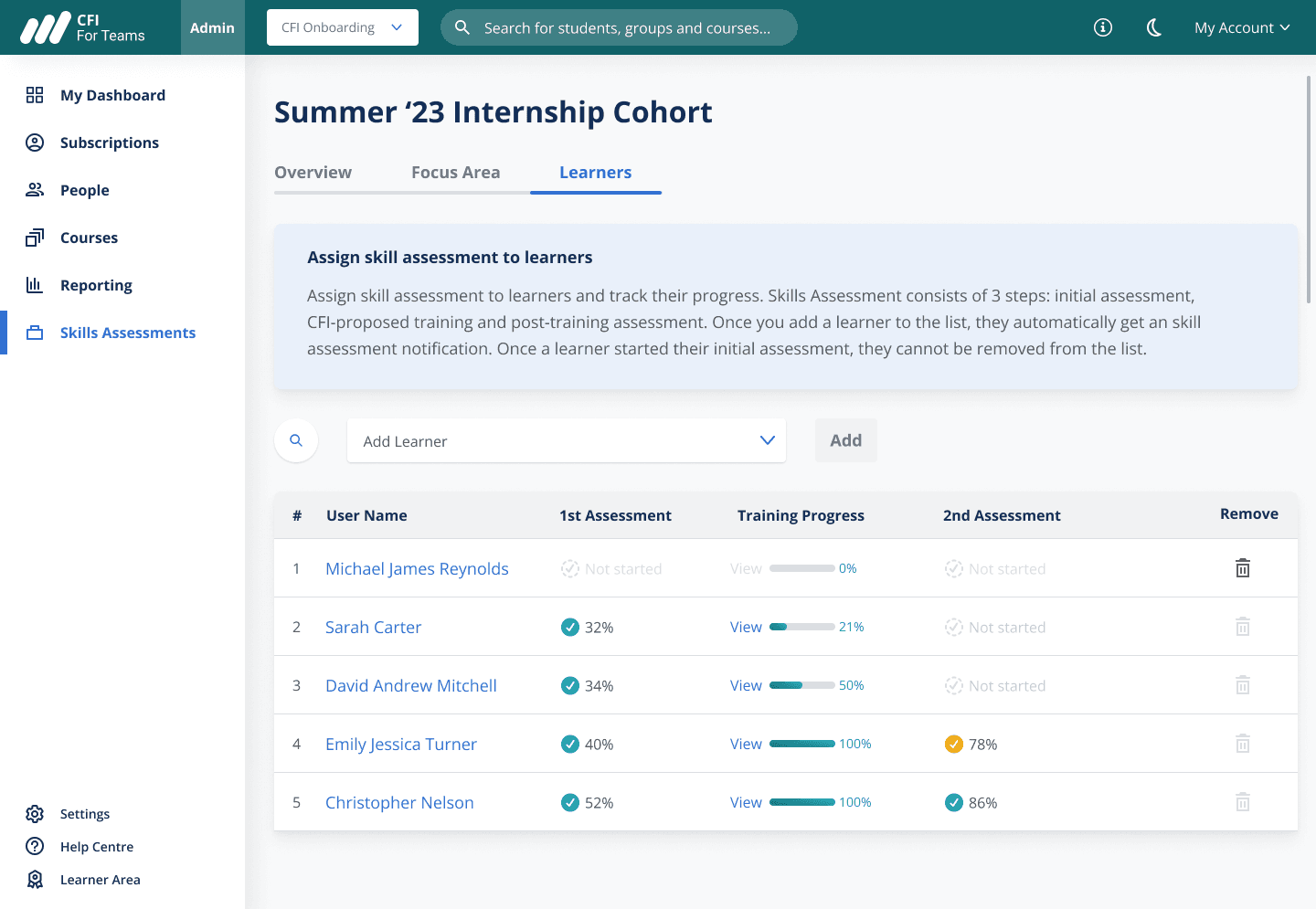
3rd iteration. I added employee's progress as mentioned by the customer in user interviews and removed time spent on training as it is not the core metric and would take excessive development time.
Finial solution
I added pre- and post-tranining assessment results on the Manager dashboard to display Return On Investment.
Table view
To give a manager a detailed overview on Return On Investment per each employee
I created a table with employee's and their pre- and post-training results as well as their training progress.
Individual employee pre- and post-training assessment results that communicate Return on Investment
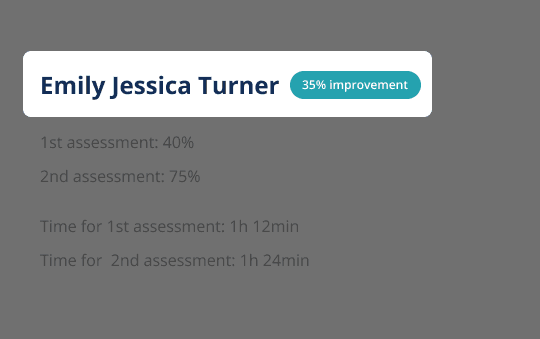
Side sheet on each employee indicates their improvement
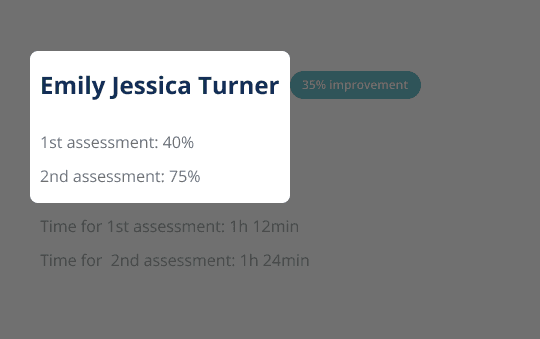
Side sheet on each employee indicates their pre- and post-training assessment results
Graph and chart view
To give a manager a high level overview of Return On Investment I created a graph where they can see their team performance. I also added a chart view to make comparison by each employee easier.
Comparison data of that communicates high-level training results
Distinct colors and shapes ensure data accessibility
Patterned colours ensure data accessibility
Design handoff
When handing off design for development, I marked spacings and interactions to eliminate misunderstandings with engineering team.
To ensure that things are developed according to the design, in my handoff file I defined paddings and margins, interaction and hover effects as well as the user flow.
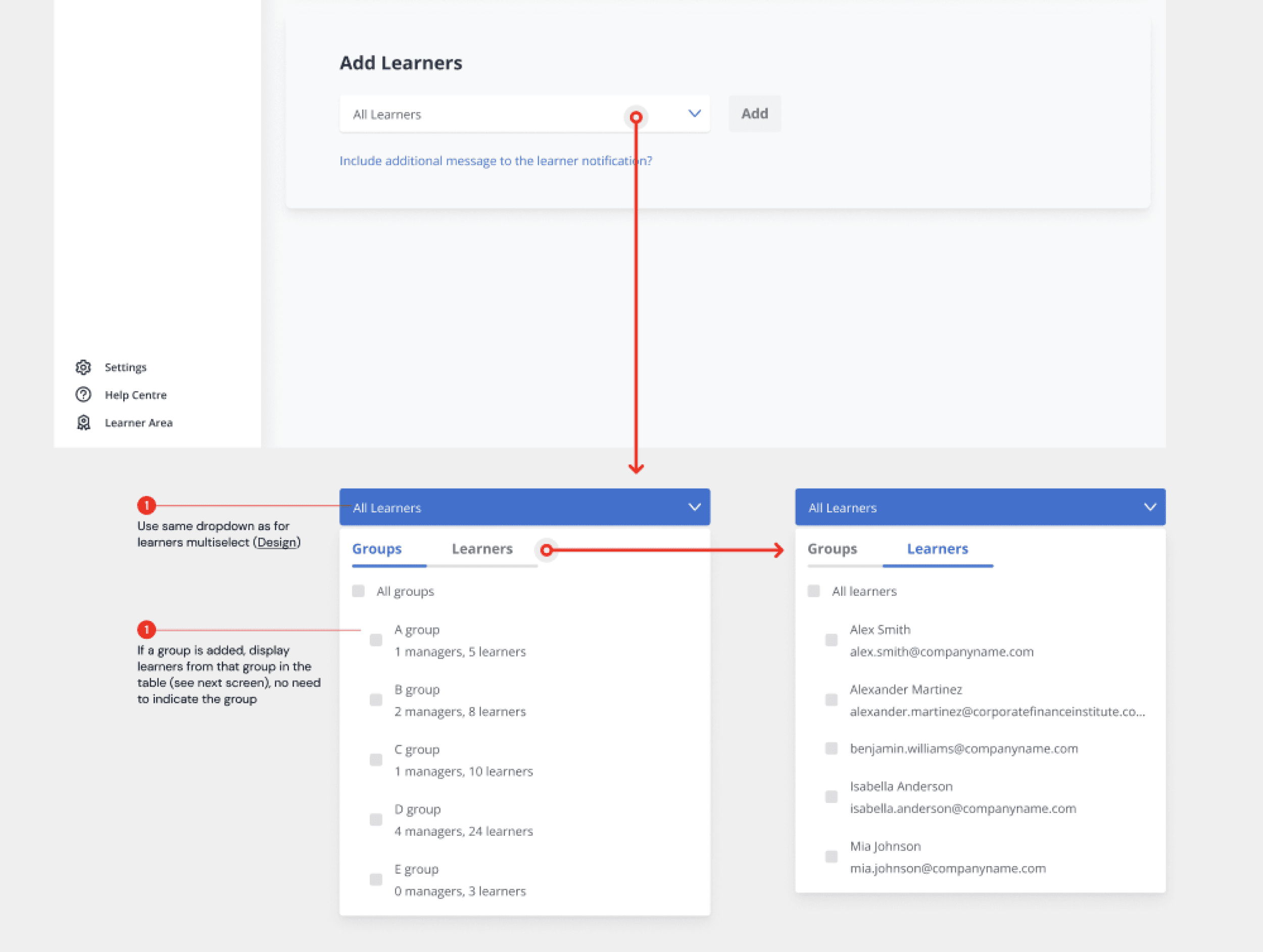
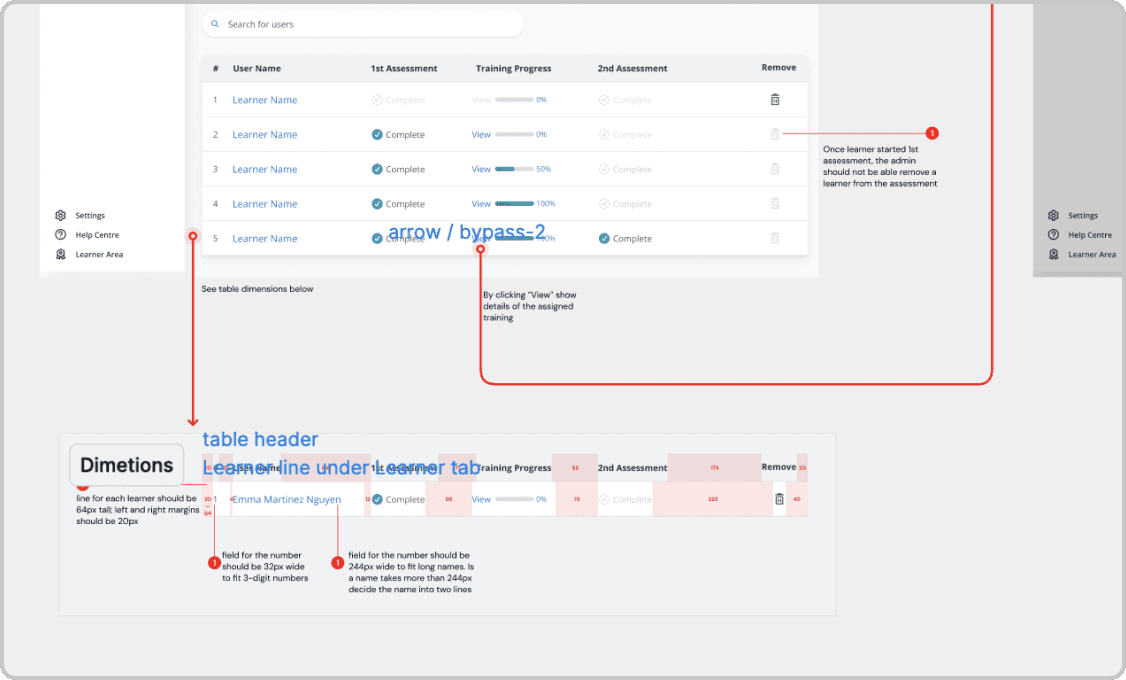
Indicated margins and paddings
Indicated interactions
Added notes for dev team
Outcomes
Brought ROI info on the enterprise dashboard to strengthen B2B offering
Designs that I created helped manager to have a strong understanding of the training results.
Streamlined design process
I initiated daily design standups. They improved our feedback process and helped us iterate fast on design variations.
While roadmap changes were occasionally frustrating, Polina consistently showcased her remarkable ability to adapt swiftly and navigate through uncertainties.
Performance Review by Tom Haslett, VP of Product @ CFI
View another project
Increasing engagement on enterprise dashboard
Restructuring and simplifying Macabacus Admin dashboard to boost pages visits by 18% and features usage by 5%.
Hey there! To see whole case study please switch to the desktop. Thanks!
🚧

Hey there! To see the whole case study please switch to the desktop. Thanks!
🚧